
Grocery Budget Planner
Plan the month's food money, log every trip, and catch overspending early.
View on Etsy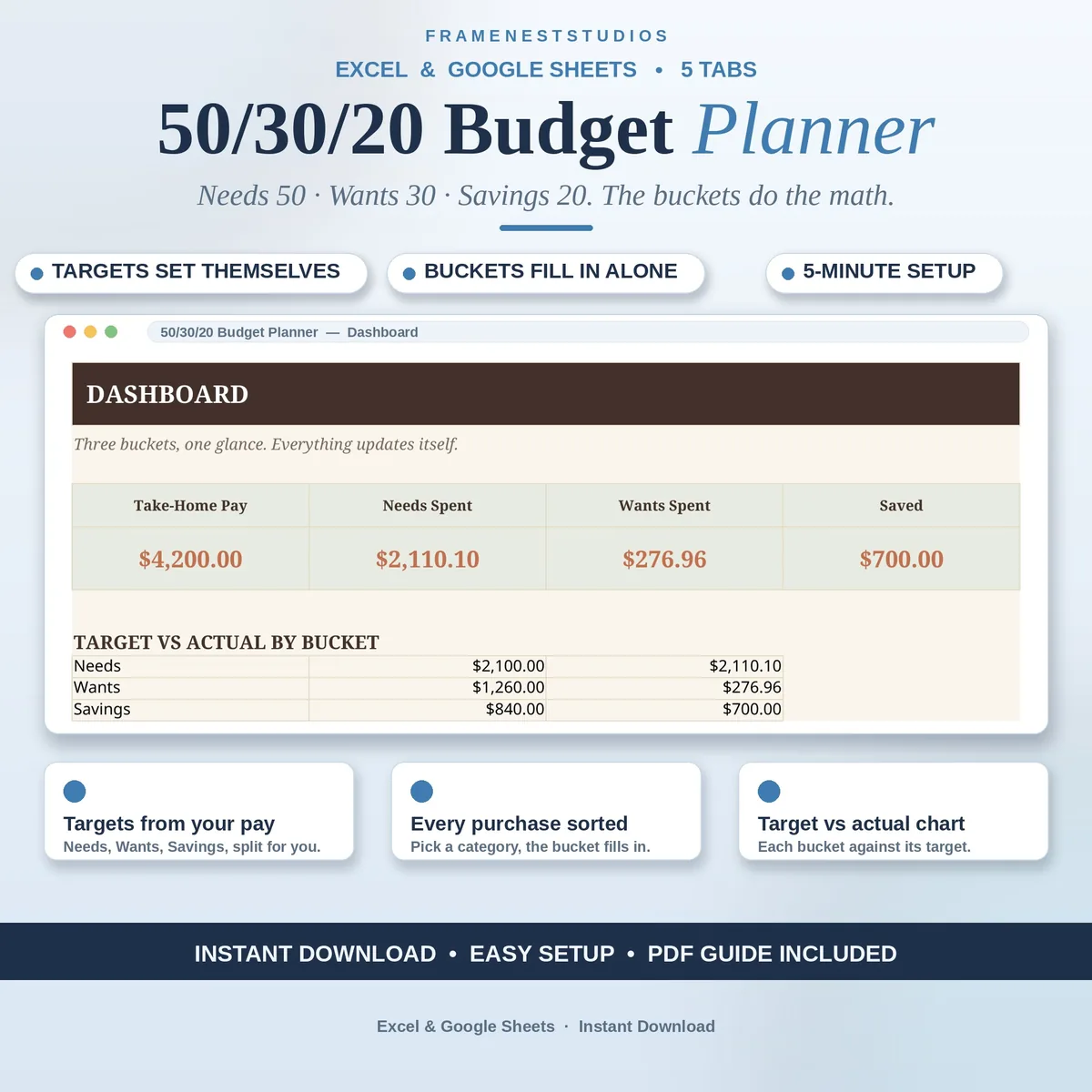
The 50-30-20 rule sounds easy until you are sorting receipts and doing percentages on your phone. This 50-30-20 budget planner takes your take-home pay, works out the three targets for you and drops every purchase into the right bucket on its own.
Sale price in our Etsy shop right now. Checkout, payment and instant delivery are handled by Etsy.
The idea behind the rule is refreshingly simple. Around half of your take-home pay covers needs, about a third covers wants, and the rest goes to savings. The hard part has never been understanding it, it is applying it to dozens of real purchases each month. This planner does that legwork: you enter your monthly take-home pay once and the three target amounts are calculated for you straight away.
You decide which bucket each spending category belongs to, using a simple dropdown on the categories tab. After that, logging is quick. Add a purchase on the transactions tab, pick its category, and the correct bucket fills in by itself because it reads from your category list. The split tab then shows what you have spent and what remains in needs, wants and savings, so a mid-month check takes seconds rather than an evening.
The dashboard finishes the picture with a target versus actual chart for each bucket, plus the totals behind it. That view makes the rule genuinely useful, because you can see whether real life is matching the plan and adjust gently while there is still month left. It is a planning tool for personal use, not financial advice, and it works just as well for a first budget as for a reset.
The things buyers ask us most.
You assign each category to needs, wants or savings once, using a dropdown on the Categories tab. When you later log spending and choose a category, the planner reads that assignment and fills in the right bucket for you automatically. You do not have to remember percentages or tag every purchase by hand, which is what makes the system easy to keep up.
Your monthly take-home pay is the key number. Enter it on the split tab and the needs, wants and savings targets calculate themselves, along with spent and left for each bucket as the month goes on. After that, set up your categories and start logging transactions. The Start Here tab and the one page guide walk through the whole setup in about five minutes.
Yes. Categories are yours to arrange, because one household may treat something as a need that another treats as a want. Change the bucket beside a category on the Categories tab and the rest of the planner follows, since transactions and the split both read from that list. It is a good idea to review the list once, at setup, and then leave it steady.
Yes, you receive files for both. The access PDF gives you a Google Sheets copy in one click, to keep in your own Drive, and the BLANK and EXAMPLE workbooks cover Excel. The formulas work in either version, and you can use the planner on a computer, tablet or phone, which makes a quick spending entry easy wherever you are.
Three more workbooks from the same shelf.
Plan the month's food money, log every trip, and catch overspending early.
View on EtsyGive every dollar a job before the month starts, and watch the plan balance itself.
View on Etsy