
Sales Commission Tracker by Rep
Commission worked out per sale, with rep totals, payouts due and monthly goals.
View on Etsy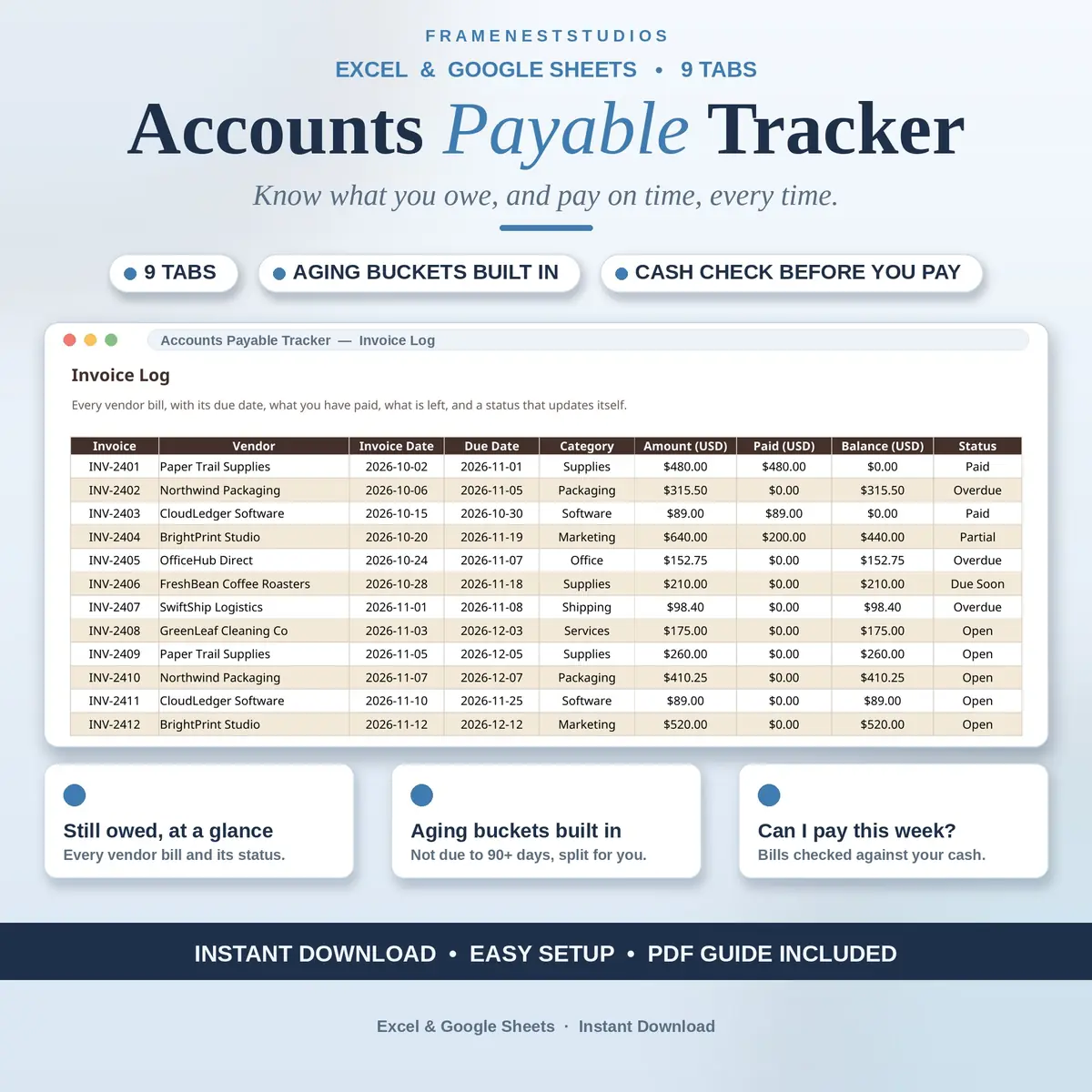
Vendor bills have a habit of surfacing at the worst moment, usually the day after the money went elsewhere. This accounts payable tracker keeps every bill in one log, works out due dates from vendor terms and checks a pay run against your cash first.
Sale price in our Etsy shop right now. Checkout, payment and instant delivery are handled by Etsy.
The tracker starts with your vendors. Each one is listed once with payment terms in net days, plus a contact and payment method, and that single entry drives everything else. When a bill arrives, you log it once and its due date is worked out from the vendor terms, so a 30 day vendor invoiced on 6 October falls due on 5 November. Change a vendor terms once and every open invoice from that vendor updates with it.
As money moves, the picture stays current without extra effort. Payments are logged against their invoice numbers, and part payments simply reduce the balance while the status turns to Partial. Every bill carries a live status, paid, partial, overdue, due soon or open, and the aging tab splits what you owe into buckets from not due through to over 90 days past due, listing each open invoice with its days overdue so nothing old hides quietly.
Before you pay, the Pay Run Planner asks the question that matters. It gathers the bills due this week, the overdue ones and those due in the next seven days, then compares the total with the cash on hand you entered. If the cash covers it, it says so and shows what stays in the bank, if not, it shows the shortfall so overdue bills get paid first. Bills under dispute can sit on hold, out of the pay run, until you clear them.
The things buyers ask us most.
Each vendor has payment terms in net days on the Vendor Master tab. When you log an invoice, the tracker adds those days to the invoice date to set the due date for you. A vendor on 30 day terms invoiced on 6 October is due on 5 November. Change the terms once on the vendor record and every open invoice from that vendor gets its new due date automatically.
That is fully supported. Record the part payment on the Payments Log against the invoice number, and the balance on the Invoice Log drops by exactly what you paid, while the status changes to Partial so everyone can see the bill is not finished yet. When you pay the rest later, log it the same way and the balance closes to zero and the status becomes Paid.
The Pay Run Planner adds together your overdue bills and the bills due in the next seven days, then compares that total with the cash on hand figure you enter on Start Here. If your cash covers it, the planner says yes and shows what remains in the bank afterwards. If it falls short, it shows the shortfall amount, so you can pay the overdue bills first.
Put it on hold on the Approval and Holds tab, with the reason for the dispute and a release date if you have one. Held invoices are kept out of the pay run while the hold is active, so a disputed bill does not get paid by accident. When the issue is resolved, change its status back to Approved and it returns to the normal payment flow.
Three more workbooks from the same shelf.
Commission worked out per sale, with rep totals, payouts due and monthly goals.
View on EtsyReceipts and business mileage in one workbook, with one combined total for tax time.
View on EtsyLog income and expenses in minutes and see your real net profit on one clear dashboard.
View on Etsy