
Clothing Budget Tracker Spreadsheet
Budget clothes by season and person, with true cost per wear on every item.
View on Etsy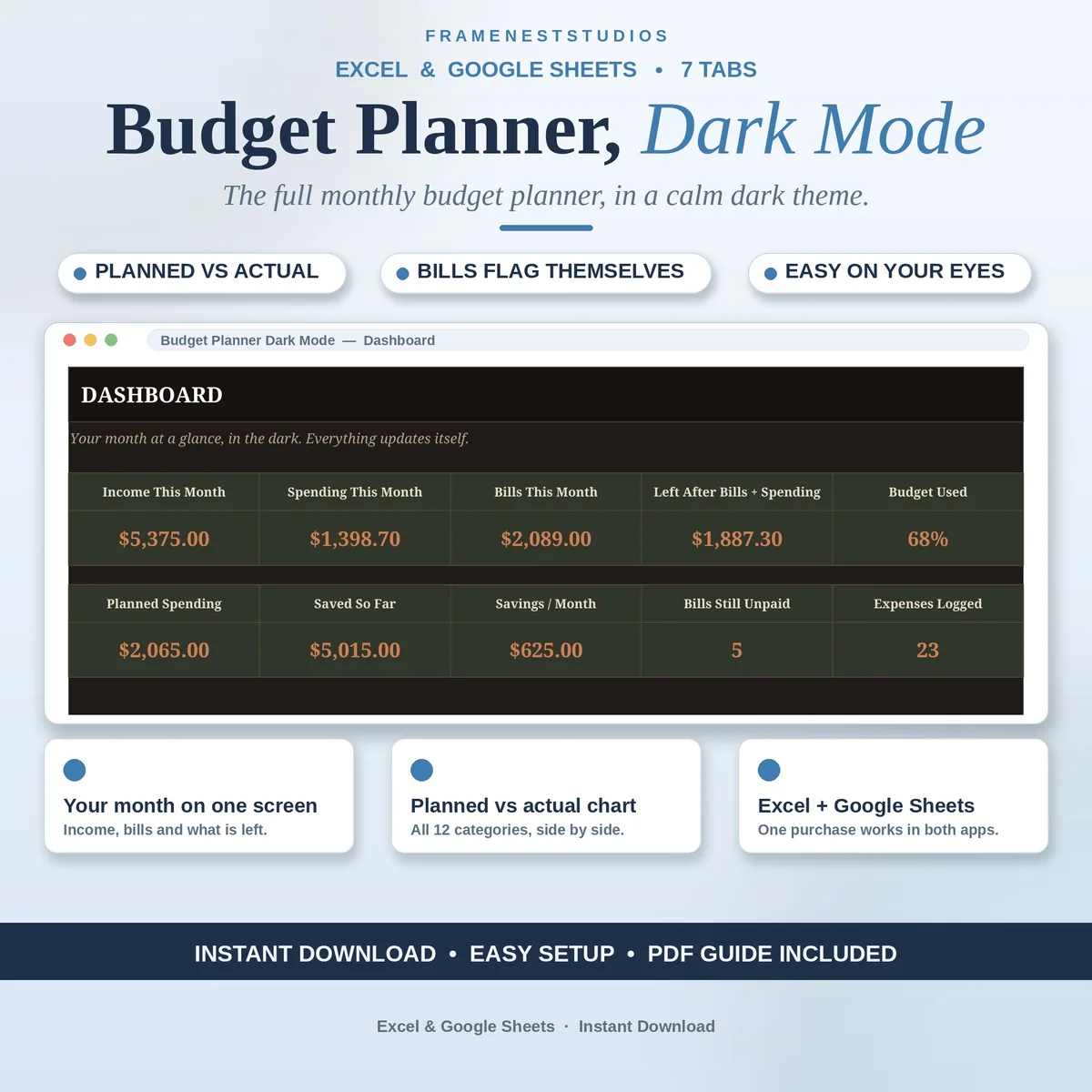
Most money planning happens late, when the day is finally done and the house is quiet, and a bright white spreadsheet is the last thing your eyes need. This dark mode budget planner is the full monthly planner rebuilt on calm charcoal pages, so you can plan at midnight without the glare.
Sale price in our Etsy shop right now. Checkout, payment and instant delivery are handled by Etsy.
Everything about the planner underneath is the full monthly system. You set income sources and planned amounts across 12 spending categories on the Monthly Budget tab, and actual spending flows in from your log by itself, with rows turning red when a category goes over plan. The Dashboard then shows income, spending, bills, what is left, the share of the plan already used, and how your savings goals are progressing.
The Bill Tracker lists every bill together with how much it is, how often it lands, its due day and whether it has been paid. Quarterly and yearly bills are spread into a fair monthly cost, so they stop ambushing the month they land in, and anything unpaid past its due day flags itself. One Expense Log feeds the budget, the dashboard and the Annual View, where all 12 months sit side by side so you can watch the year behave.
The only difference from the classic edition is the look, and it is deliberate: pages in deep charcoal, text in warm cream and numbers in soft terracotta, built into the file itself so it looks the same on every screen with no settings to change. The EXAMPLE workbook walks through a sample October with 9 bills and a month of logged spending, so you can watch every connection work before typing a single number of your own.
The things buyers ask us most.
The theme, and only the theme. Every tab has dark backgrounds with light text, which plenty of people find gentler to look at after dark or in dim rooms. The tabs, formulas and features are the same full planner as the classic light edition, so nothing about how you budget changes. If you prefer a light screen, the original edition is in the shop too.
Yes. Set the month you are viewing, plan your amounts for that month, and log spending as it happens. Many people paid biweekly simply open the Dashboard when a paycheck lands, check what is left, and plan the stretch to the next one. The plan is monthly, but nothing stops you reviewing it as often as your paydays land.
Yes, all of it is yours to edit: category names, planned amounts, income sources, bills and savings goals. Because the dropdowns and formulas point at the very cells you type into, they carry on working after your edits. The dark theme is built into the file itself, so your edits do not disturb the look, and it appears the same on every device.
It runs in Google Sheets on a free Google account and in Excel 2021 or Microsoft 365, and the Excel files also import into Sheets if you prefer. You can use it on a computer, tablet or phone. Every currency works because the amounts are plain numbers, so your totals, charts and annual view behave the same wherever you live.
Three more workbooks from the same shelf.
Budget clothes by season and person, with true cost per wear on every item.
View on EtsyEvery bill, due date and payment in one place, with overdue bills flagged red.
View on EtsyHold your whole financial year in one sheet, with yearly targets and automatic monthly updates.
View on Etsy