
Tip Tracker Spreadsheet for Servers and Bartenders
Log tips per shift and see take-home, tip-out and dollars per hour clearly.
View on Etsy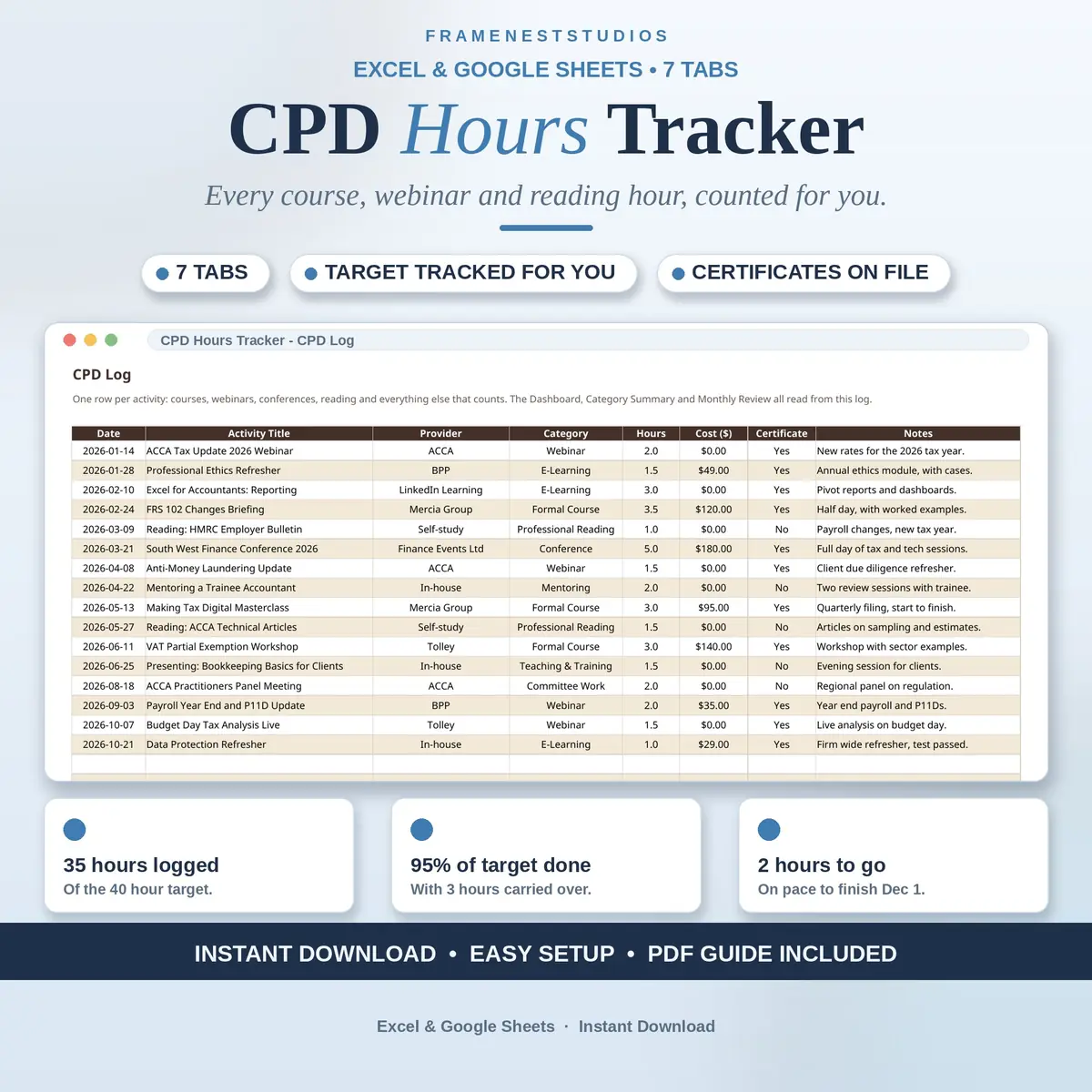
Renewal season has a kind of panic: a year of courses, webinars and reading scattered across inboxes, notebooks and a certificate folder you are not quite sure is complete. This CPD hours tracker keeps your year in one file, counting your hours and your pace for you, so the deadline stops being a surprise.
Sale price in our Etsy shop right now. Checkout, payment and instant delivery are handled by Etsy.
Setup is a one time job on the Start Here tab: your profession and professional body, the start date of your CPD year, your target hours for the year, and any hours carried over from the last one. After that, the CPD Log takes one row per activity, with the date, what it was, who ran it, the category, the hours and what it cost. From those rows, everything else in the workbook builds itself.
The Dashboard is the page you will live on. It shows your target, hours logged, carry over and total progress as a percentage, then goes further: the hours still to go, how many days remain in the year, the weekly hours still needed, and the date you are on pace to finish. Below that, your hours are broken down by category and by month at a glance.
Two tabs keep the year honest. The Category Summary gives courses, webinars, conferences, e-learning, reading, mentoring, teaching, committee work and research a line each, with activities, hours, share and cost, so a year of nothing but webinars is easy to spot. Certificates sit on their own tab with issuer, dates and where the file lives, flagging anything that expires within the next 90 days, which is what an audit actually asks for.
The things buyers ask us most.
If a professional body or an employer gives you a yearly target of CPD or CE hours, yes. Accountants, teachers, nurses, solicitors, social workers, engineers and surveyors all use the same basic shape: a year start date, a target and a log. Nothing in the workbook is tied to one profession, and your body, target and categories are yours to set.
That depends on your professional body, and the rules genuinely differ. Courses, webinars, conferences, e-learning and relevant professional reading count for most bodies, but your own body's current rules decide your hours and categories. This tracker records whatever you log and does the counting and pacing for you, so check the rules once, set your categories, and log with confidence.
Yes, when your body allows it. Add the hours you are carrying to the Start Here tab, and the Dashboard counts them toward this year's target, alongside the hours you log fresh. Your total progress percentage, hours still to go and weekly pace all include them, so the picture you see is the one your body will see.
Yes. When your CPD year ends, make a fresh copy of the workbook, change the year start date and target on Start Here, and begin a clean log. Your finished year stays saved exactly as it was, which is the record you want if an auditor or employer ever asks to see how your hours were built up.
Three more workbooks from the same shelf.
Log tips per shift and see take-home, tip-out and dollars per hour clearly.
View on EtsyReview dates, goals and feedback in one place, with overdue flags built in.
View on EtsyRun the same calm onboarding checklist for every new hire, with training and progress tracked.
View on Etsy