
Hiring Tracker Spreadsheet
Roles, candidates, interview scorecards and offers in one tracker, with stalled flags built in.
View on Etsy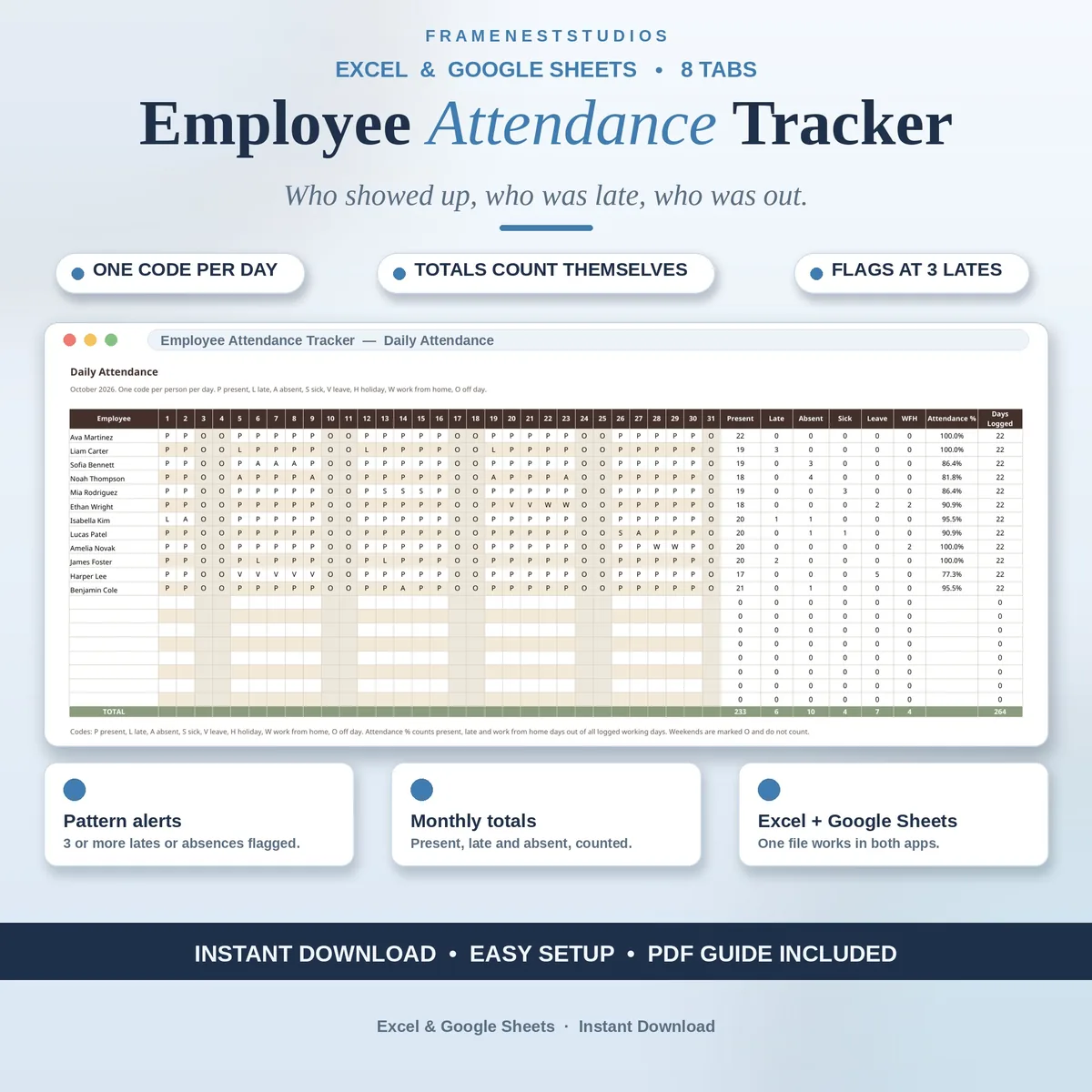
Mid-month, someone asks who was out last Tuesday, and the answer is buried in chats and memory. This employee attendance tracker fixes that with one code per person per day, while totals, percentages and pattern alerts quietly build themselves in the background.
Sale price in our Etsy shop right now. Checkout, payment and instant delivery are handled by Etsy.
The whole system rests on one small habit. Each working day you mark a single code per person: present, late, absent, sick, leave, work from home or a day off, chosen from a dropdown in each cell. That is the entire daily job. From those codes, the row totals count themselves, and each person gains an attendance percentage and a count of days logged, so the monthly picture is always forming without extra admin.
The Monthly Summary turns the grid into one clean line per person, showing present, late, absent, sick, leave and work from home days side by side. Pattern Alerts then watches for what a busy manager can miss: three or more lates, three or more absences, back to back absences and absences that keep landing on Mondays or Fridays. A flag is presented as a prompt to check and talk, not as a verdict, and the tab says what to check first.
Leave balances are kept deliberately small, showing annual leave and sick leave used and left, taken straight from the daily codes. It does not handle requests or approvals, because this is a record of what actually happened each day, which is a different job. For each employee you can also open a one page report card, pick their name and print or save the card, with their figures and alert level filled in automatically.
The things buyers ask us most.
Each day uses one short code per person. P means present, L means late, A means absent, S means sick, V means leave, H means a holiday, W means work from home and O means an off day. The full legend sits on the Settings and Lists tab, and every day cell has a dropdown with the codes, so marking the grid stays quick and consistent.
It counts present, late and work from home days out of all logged working days. Holidays and off days do not count against anyone. In the example data, one employee was present 19 days out of 22 logged days, which works out to 86.4 percent. The figure is calculated for each person automatically as you mark the daily grid through the month.
The Pattern Alerts tab flags three or more lates in the month, three or more absences, two absent days in a row, or absences falling on Mondays or Fridays more than once. You can change the late and absence thresholds on the Start Here tab and the whole workbook follows. A flag is a prompt to check the facts and have a conversation, not proof of a problem.
No, and it is clear about that on purpose. This workbook records daily attendance only, so it does not calculate pay, overtime or hours worked, and its small Leave Balances tab only shows leave used and left from the daily codes. It does not take or approve leave requests. Those jobs belong to payroll and time off tools, which keeps this record simple and reliable.
Three more workbooks from the same shelf.
Roles, candidates, interview scorecards and offers in one tracker, with stalled flags built in.
View on EtsyLog shifts once and get weekly rotas, double booking flags, coverage checks and labor costs.
View on EtsyLog CPD activities once and let the tracker count hours, pace and progress.
View on Etsy