
CPD Hours Spreadsheet
Log CPD activities once and let the tracker count hours, pace and progress.
View on Etsy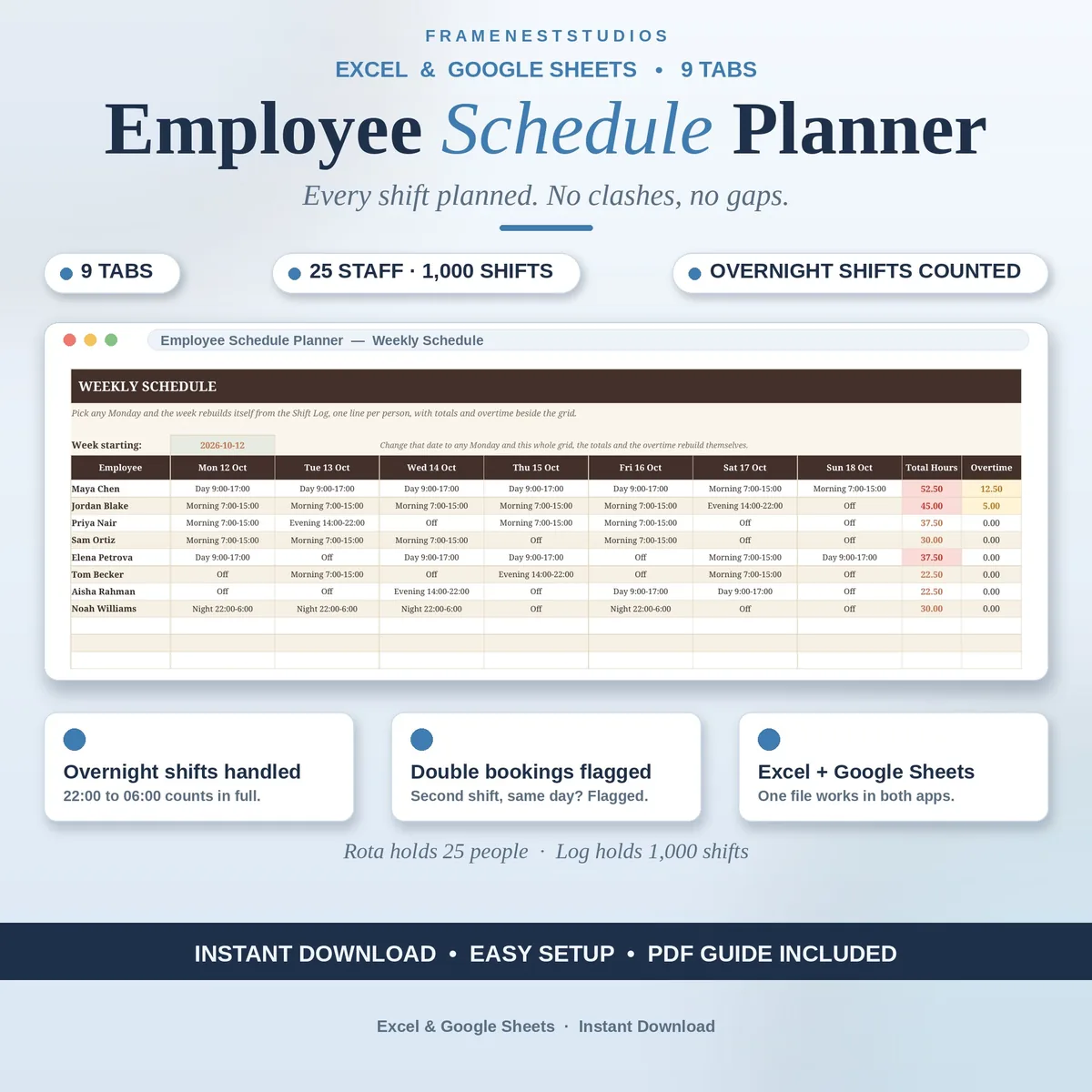
The rota always looks fine on Friday, then Monday arrives with a double booking and a day nobody is covering. This employee schedule planner surfaces clashes, gaps and labor cost early, while the week can still be rearranged properly.
Sale price in our Etsy shop right now. Checkout, payment and instant delivery are handled by Etsy.
Everything starts with one simple log. Each shift is typed once with its date, person, shift type, start, end and break, and the hours count themselves, overnight shifts included. A shift running from 22:00 to 06:00 counts all of its hours on the starting day. From that single log, the weekly grid, monthly calendar, coverage checks and costs all build themselves, with nothing typed twice.
The planner is quietly strict about problems. If one person picks up two shifts in a single day, the log marks the second one as double booked by itself. Days falling below your minimum staffing are listed and shaded on the coverage view, and staff who pass their maximum hours or drift into overtime get named too. These are exactly the surprises that usually surface on Monday morning, shown while you can still rearrange things.
Cost is visible just as early. Hours become money per person over two weeks at a time, with extra hours beyond your weekly threshold costed at the multiplier you set, plus a cost per role underneath. Your rules live on one Settings tab: holidays, minimum staffing, overtime threshold, break length, and shift types with their times. The roster holds 25 people and the log holds 1,000 shifts, with no macros or add-ons.
The things buyers ask us most.
Yes. When a shift end time is earlier than its start time, the planner treats it as rolling past midnight and counts the full hours on the day the shift starts. A 22:00 to 06:00 shift is a common example. Those hours flow into the weekly grid, overtime checks and labor cost like any other shift.
You can log both shifts, and the second one flags itself as double booked directly in the log. Both shifts still count toward that person hours, and the coverage view keeps the count visible. That gives you the choice to keep a genuine split shift or fix an accidental clash before the week begins.
Yes. The weekly overtime threshold and the multiplier are simple Settings cells. Change them once and every total that depends on them follows, including per person labor cost over two weeks and the dashboard figures. Shift types, break length, minimum staffing and holidays also live on that same Settings tab.
About five minutes for the basics. Set your shift types and rules on Settings, add your team with their rates on Employees, then start logging shifts. The Quick Start Guide takes you through each tab in order, and the example file with a sample cafe team shows a finished schedule before you build your own.
Three more workbooks from the same shelf.
Log CPD activities once and let the tracker count hours, pace and progress.
View on EtsyLog tips per shift and see take-home, tip-out and dollars per hour clearly.
View on EtsyReview dates, goals and feedback in one place, with overdue flags built in.
View on Etsy