
Freelance Rate Calculator
Set your hourly rate from real income goals, expenses, tax and margin, not a guess.
View on Etsy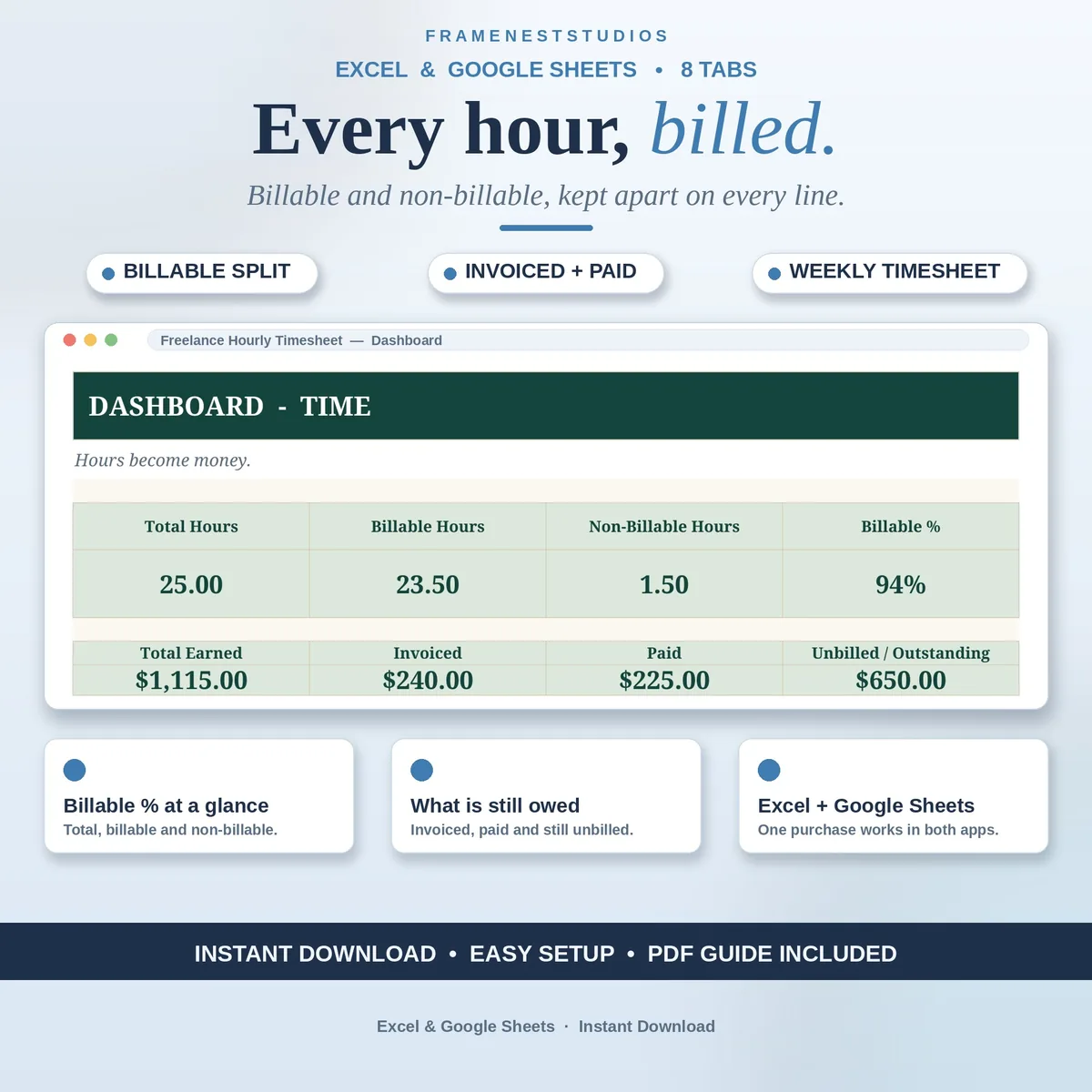
Friday evening, invoice half written, and Tuesday morning is already a blur, sound familiar? This freelance hourly timesheet records each session as you go, prices it from your project rates and keeps billable work separate, so no paid hour quietly becomes free.
Sale price in our Etsy shop right now. Checkout, payment and instant delivery are handled by Etsy.
Hours you cannot prove are hours you end up working for free, usually because the week moved faster than your notes. This timesheet makes logging almost effortless. You can enter a start time, an end time and your break minutes and let the sheet work out the hours, or, when you are in a hurry, skip the times and type the hours directly. Either route lands on the same tidy line, with the project chosen from a dropdown.
Pricing takes care of itself because rates live with your projects. Set a rate once on the projects tab and the log pulls it in, so each entry shows its amount as you go. The clients tab goes further, holding default rates and optional monthly retainer hours, then totalling hours, amounts, unbilled sums and retainer hours left for the month. Invoice numbers and payment status sit on each log line too, tying the record to the money.
The distinction most trackers skip is kept throughout: billable time and time spent working are not the same thing. Mark a line No and it counts as non-billable with its amount held at zero, mark it Yes and it earns. The dashboard shows both sides and the split as a percentage, alongside earned, invoiced, paid and still unbilled totals, plus breakdowns by project, client and month, and a printable weekly timesheet when a client wants proof.
The things buyers ask us most.
No. Start and end times, minus your break, are there when you want a precise record, and the hours are calculated for you. When that feels slow, just type the hours directly on the same line and the sheet handles it the same way. Many freelancers mix both, using times for client sessions and direct hours for quick tasks between other work.
Every log line has a Billable choice, Yes or No. Mark a line No and it counts towards your time spent working, but its amount stays at zero and it sits in the non-billable total. Mark it Yes and it earns at the project rate. The dashboard then shows total hours, billable hours, non-billable hours and the split as a percentage of your week.
Yes. Pick any date on the Weekly Timesheet tab and the whole week appears, laid out as hours per day per project. That page is designed to be printed or saved and sent as proof of work alongside an invoice. The Monthly Summary also breaks totals down by client and by project when a client wants a longer view of where their hours went.
No. It is a single purchase, and the files are yours to keep and use for your own freelance work for as long as you like. There are no add-ons to install and no monthly fee to stay subscribed to. If you get stuck at any point, message us through Etsy and we will help, usually within 24 hours of your message.
Three more workbooks from the same shelf.
Set your hourly rate from real income goals, expenses, tax and margin, not a guess.
View on EtsySee profit, margin and your real hourly rate for every project and client.
View on EtsyPlan project budgets, log real costs, and see profit, margin and true hourly rate per project.
View on Etsy