
Project Profitability Tracker
See profit, margin and your real hourly rate for every project and client.
View on Etsy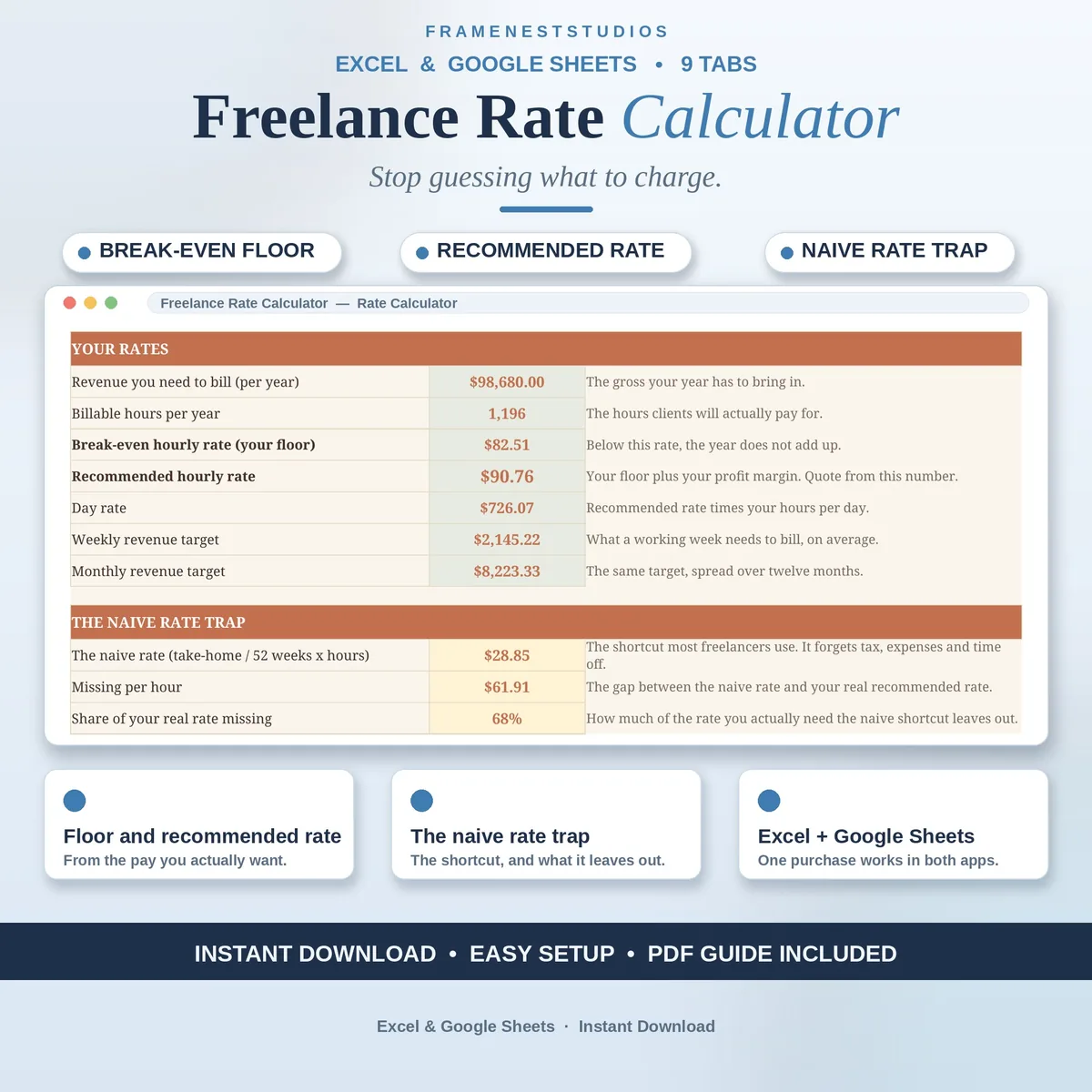
Dividing a dream salary by a standard working year feels sensible, until tax, software and unpaid admin quietly eat the difference. This freelance rate calculator works backwards from the take-home pay you actually want, so your rate covers the real year.
Sale price in our Etsy shop right now. Checkout, payment and instant delivery are handled by Etsy.
Most rates are set with a shortcut: take the salary you would like, divide it by 2,080 hours and round to a tidy figure. The shortcut forgets tax, software, insurance, unpaid admin and holidays, which is why a busy year can still end short of money. This calculator reverses the process. You start with the take-home pay you want, add your real business expenses across twelve lines, your tax rate and a profit margin, and it works out the rate your year genuinely needs.
You get two anchor numbers: a break-even floor you should not drop below, and a recommended hourly rate with profit built in, along with day rate and weekly and monthly revenue targets. Beside them sits the naive rate from the shortcut, with the gap shown in money and percent, so you can see exactly what guessing was costing you. Three scenarios, conservative, target and stretch, let you compare versions of your year side by side.
From that one rate, the rest of the workbook prices itself. Quote builders price a project task by task with rush fees, discounts, direct costs and platform fees handled, and show your effective hourly rate on the job. An offer check tests a fixed fee a client names and returns an honest verdict. Packages, a monthly retainer, a quarterly tax set-aside helper and a printable rate card all draw on the same numbers, and the project log flags any job that finishes under your floor.
The things buyers ask us most.
Yes, easily. Your tax rate sits in a single box on the Rate Calculator tab, and every number that depends on it follows automatically, from your recommended rate to the tax set-aside amounts by quarter, month and week. Set it to the rate that fits your situation, and revisit it whenever your circumstances change. For filing decisions, always check your figures with a qualified accountant.
No. You type only in the clearly marked input cells, things like your income goal, your expenses, your tax rate and your margin. Every formula behind the floor rate, recommended rate, quotes and scenarios is already written and tested. The EXAMPLE workbook, filled with a designer style set of numbers, is a friendly way to explore before you enter your own figures.
Yes. Your calculated rate flows into the quote builders automatically, which keeps every quote consistent with the year you are trying to build. If a particular job calls for something different, you can override the rate on that quote line. The quote still shows the client total, what you keep after costs and fees, and your effective hourly rate on that job.
A client names a fixed fee, and you enter that fee along with the hours and costs you expect for the job. The sheet compares it with your break-even floor and returns a plain verdict: Accept, Negotiate or Decline. It also shows the lowest fee that would still cover your floor, which gives you a concrete, calm number to take back into the conversation.
Three more workbooks from the same shelf.
See profit, margin and your real hourly rate for every project and client.
View on EtsyPlan project budgets, log real costs, and see profit, margin and true hourly rate per project.
View on EtsyTrack freelance income by client and month, with paid, pending, overdue and tax set aside.
View on Etsy