
Time Blocking Planner
Block your week by the hour, log real time, then review planned versus logged honestly.
View on Etsy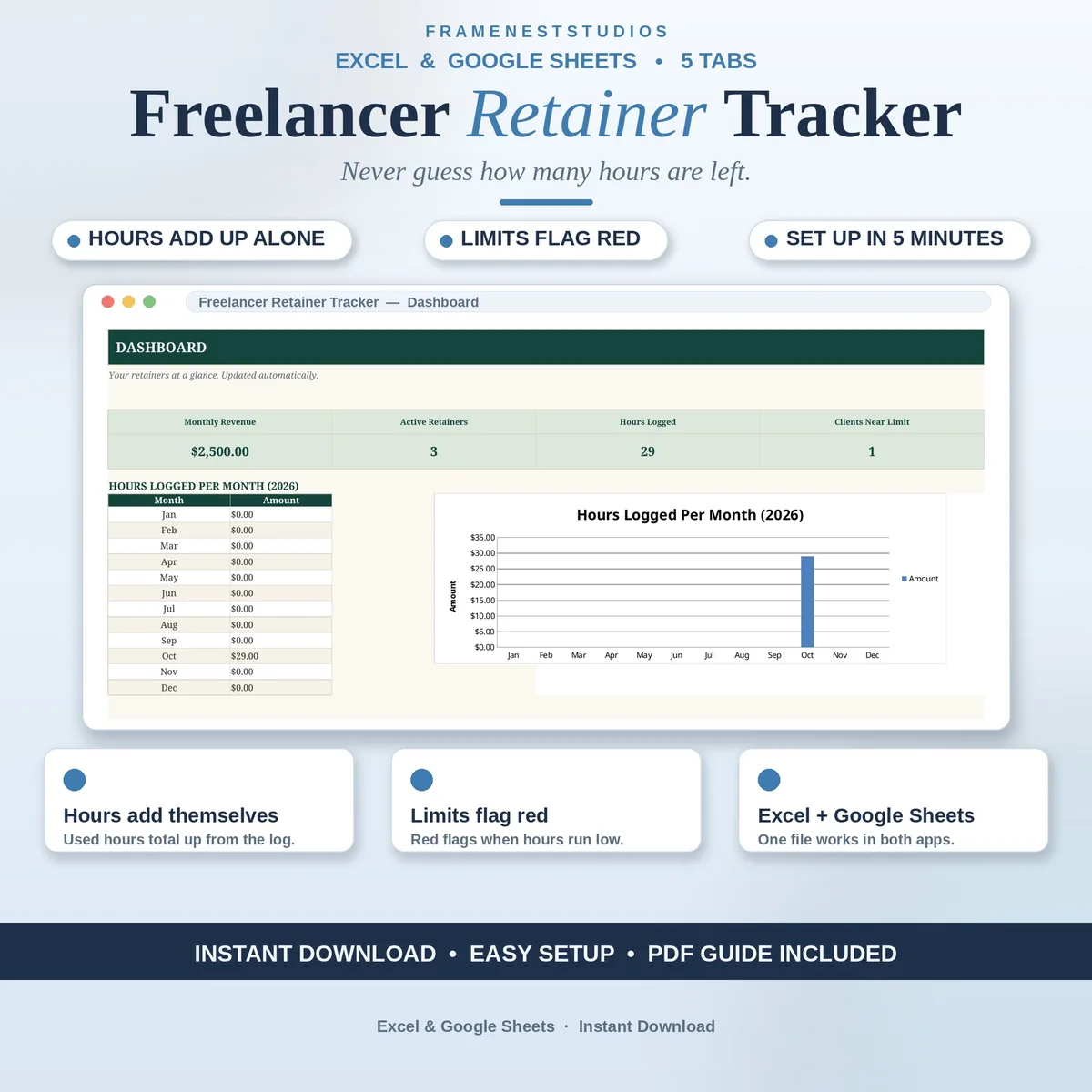
Retainers feel simple until a client asks how much of their time is left and you have to work it out from memory. This retainer tracker spreadsheet keeps the answer one glance away: log your hours as you work, and used time, remaining time and monthly revenue all update themselves.
Sale price in our Etsy shop right now. Checkout, payment and instant delivery are handled by Etsy.
Monthly retainers are steady income, but they come with a quiet admin problem: somebody has to remember how much time each client has used. This tracker does the remembering for you. Set up each retainer once with its fee and included hours, then log your work as you go, and the running totals take care of themselves.
The Hours Log is where your day goes in: date, client, hours and a short note. The Retainers tab reads straight from that log, so hours used and hours remaining are always current without you copying numbers around. When a client gets close to their limit, their row flags red, giving you time to warn them or agree extra work before it becomes an awkward month end conversation.
The Dashboard sums up the business side: monthly revenue, how many retainers are active, total hours logged and which clients are nearing their limit, with a monthly chart to show the shape of your workload. A Clients tab feeds every dropdown so names stay consistent, and the Start Here guide has you set up in about five minutes.
The things buyers ask us most.
It is a one-time payment and the files are yours forever. There is no monthly fee for the tracker itself and no add-ons to unlock features. Download everything after purchase, keep your own backup, and use the workbook for as many months and clients as your retainer work brings you.
Yes. The download includes BLANK and EXAMPLE workbooks for Microsoft Excel, plus an access PDF whose one-click link drops the same tracker into your own Google Sheets. The formulas work the same way in both, so your hours, remaining time and dashboard stay correct whichever app you prefer.
Yes. The tables are built to hold dozens of retainers and hundreds of hour entries, which covers most freelancers and small agencies comfortably. Add each client once on the Clients tab, set up their retainer, and the dropdowns and totals keep everything organised as your client list grows over time.
The Retainers tab compares hours used against the hours included in each plan, and rows flag red when a client gets close to their limit. The Dashboard also lists clients nearing their limit, so a quick weekly glance is enough to warn a client or agree extra hours in good time.
Three more workbooks from the same shelf.
Block your week by the hour, log real time, then review planned versus logged honestly.
View on EtsyLog time per project, let the rate fill itself, and bill for every hour worked.
View on EtsyLog billable hours with rates filled in, plus a weekly timesheet ready to send clients.
View on Etsy