
Employee Schedule Planner Spreadsheet
Log shifts once and get weekly rotas, double booking flags, coverage checks and labor costs.
View on Etsy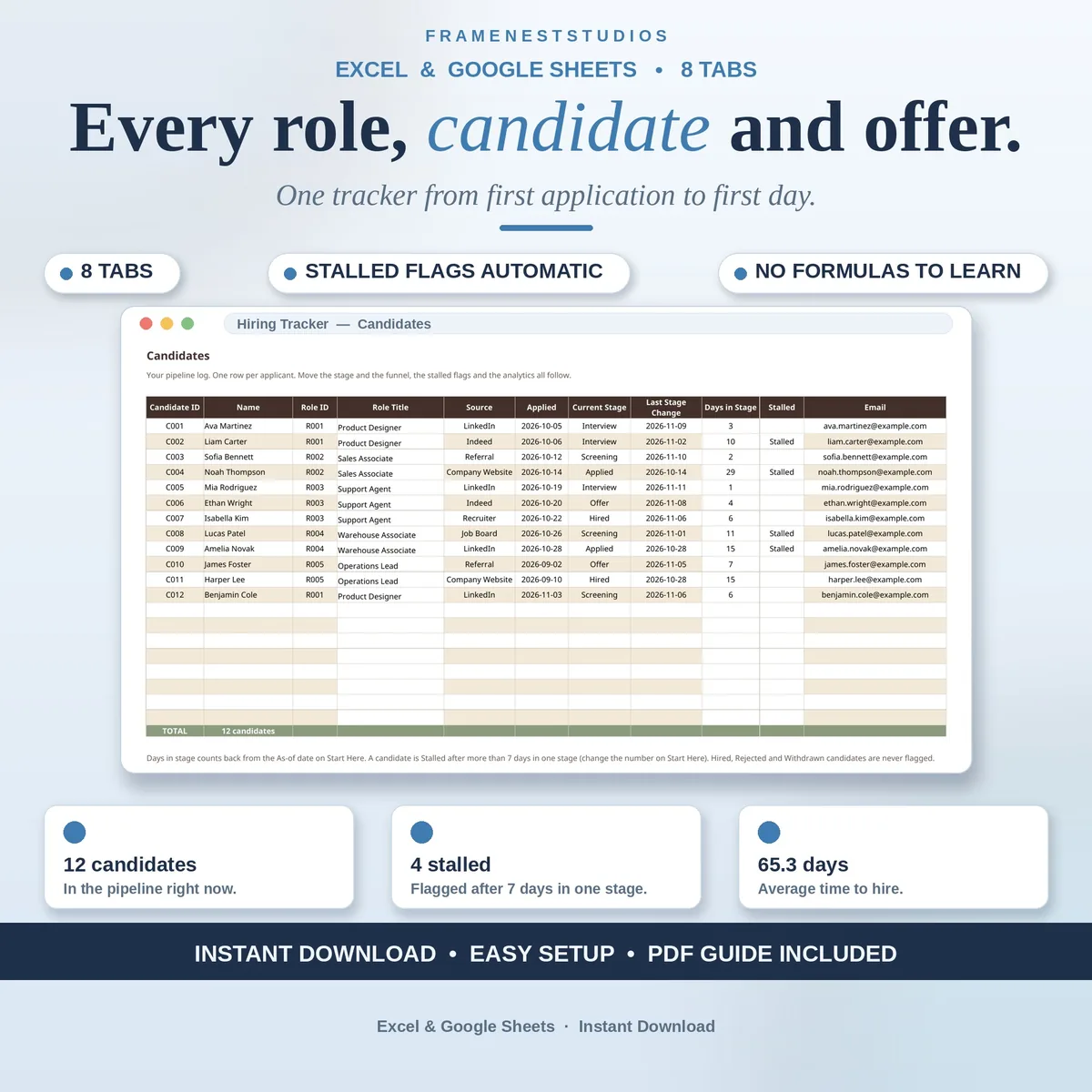
Two weeks after you post a role, someone asks how many people applied and who is still waiting, and the answers are buried in your inbox. This hiring tracker spreadsheet keeps roles, candidates, interviews and offers in one workbook, so the whole funnel is one glance away.
Sale price in our Etsy shop right now. Checkout, payment and instant delivery are handled by Etsy.
Hiring in a small business usually runs on memory and inbox archaeology. A role gets posted, applications scatter across email and chat, and two weeks later nobody can say how many people applied, who is waiting on an interview or when the last offer went out. This tracker replaces all of that with one simple habit: add the role once, log each candidate once, and let the workbook keep the funnel, the scorecards, the offers and the analytics current.
The Candidates tab is the pipeline: one row per applicant with role, source, applied date, current stage and days in stage. Move a stage and everything downstream follows. The feature that earns its keep is the stalled flag. Anyone sitting in one stage longer than the threshold you set on Start Here, 7 days in the example, is flagged Stalled automatically, while hired, rejected and withdrawn candidates are never flagged, because they are not waiting on anyone.
Interviews run on a weighted scorecard: Communication, Technical Skills, Experience and Culture Fit scored 1 to 5, with Technical Skills weighted heaviest, producing a weighted score, a rank and a recommendation from Strong hire down to No hire. The Offers tab logs salary, dates and status, working out days to respond and days to hire. Hiring Analytics then answers the money questions: funnel conversion, days per stage, which source actually hires, and cost per hire per role.
The things buyers ask us most.
Any candidate who sits in one stage longer than the threshold you set on Start Here. The example workbook uses 7 days, and changing that number updates every flag in the pipeline at once. Candidates who are hired, rejected or withdrawn are never flagged, because they are no longer waiting on a decision from you or your team.
Interviewers score four areas from 1 to 5: Communication, Technical Skills, Experience and Culture Fit. The scores are weighted, with Technical Skills at 35 percent, Communication and Experience at 25 percent each and Culture Fit at 15 percent. The workbook produces the weighted score, the rank across candidates and a recommendation, from Strong hire at 4.0 and above down to No hire below 3.0.
The Roles tab holds up to 10 open roles and the Candidates tab holds up to 20 applicants, with the Interviews and Offers tabs sized to match. That comfortably covers a small business hiring a few people at a time. If you outgrow it, add rows below the totals and copy the formulas down, and the dashboard and analytics will include them.
No, and it says so inside the workbook. It is deliberately light: when a candidate accepts an offer, you add them there and tick four boxes as they are done, laptop ordered, accounts created, first-day plan sent and buddy assigned. When all four are ticked, the handoff reads Ready. Training, probation and everything after the first day belong in an onboarding tracker instead.
Three more workbooks from the same shelf.
Log shifts once and get weekly rotas, double booking flags, coverage checks and labor costs.
View on EtsyLog CPD activities once and let the tracker count hours, pace and progress.
View on EtsyLog tips per shift and see take-home, tip-out and dollars per hour clearly.
View on Etsy