
Ultimate Life Planner Bundle
Budget, bills, meals, habits and sleep in one workbook with one calm dashboard.
View on Etsy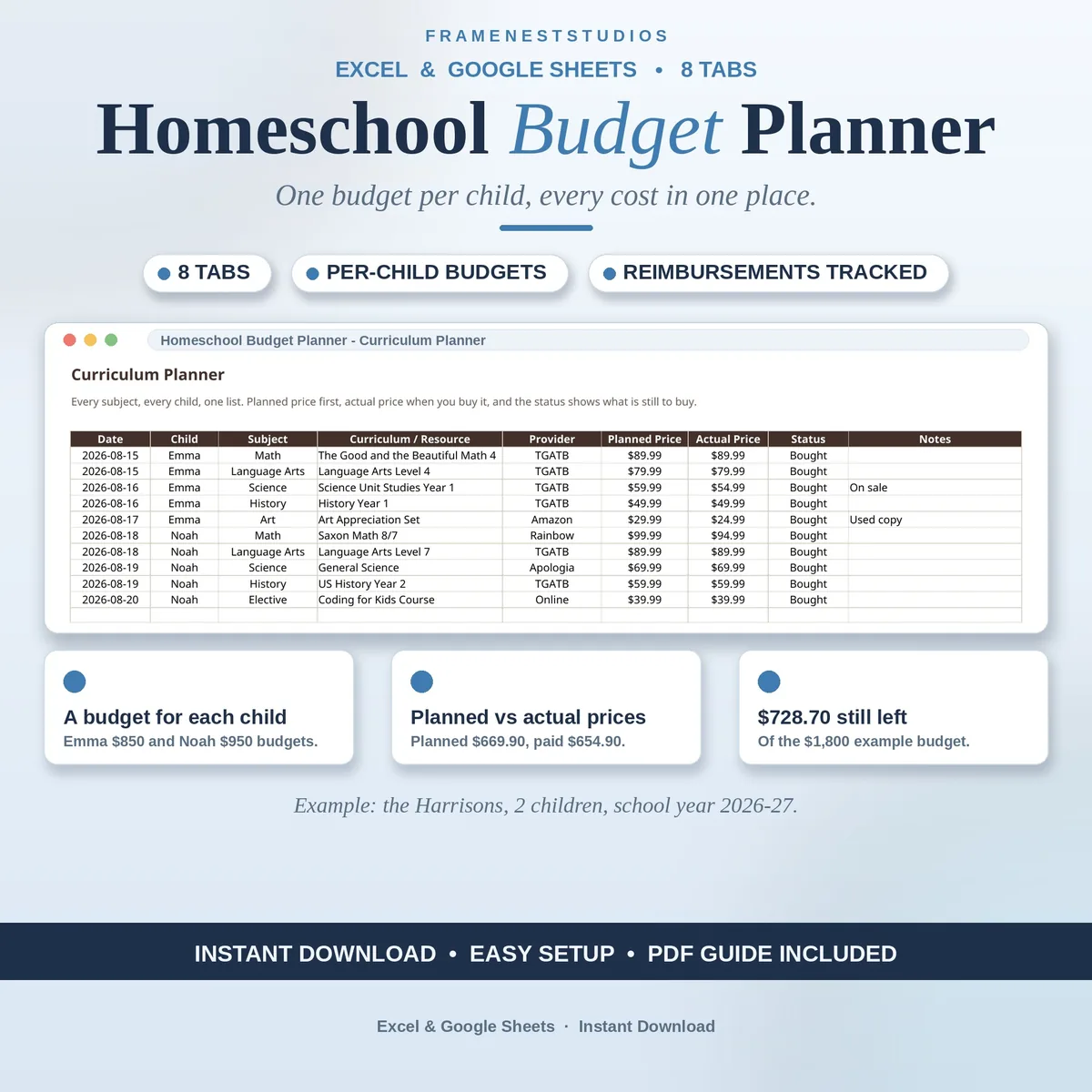
Homeschooling hands you the freedom, and then hands you the bill: curriculum for every subject, books, supplies, lessons, co-op fees and field trips, most of it landing in the same few weeks. This homeschool budget planner keeps the year in one workbook, so you can see the full cost before you spend the first dollar.
Sale price in our Etsy shop right now. Checkout, payment and instant delivery are handled by Etsy.
It starts with one number on the Start Here tab: your total budget for the school year, alongside your family name and the year itself. That figure drives everything else in the workbook. On the Children and Budget tab, each child gets a budget of their own, with room for ten children, and spending flows in from the other tabs by itself, showing what each child has spent, what is left, and a simple on track status.
The Curriculum Planner is the centre of the workbook: every subject for every child in one list, with the planned price first and the price you actually paid once you buy, plus a status showing bought, still planned or sitting on the wishlist. Books and supplies get their own tab so they stop hiding inside curriculum costs, and lessons, clubs, co-op fees and field trips share a tab with due dates and a paid tick.
The Monthly Spending tab splits your yearly budget into a monthly pace and builds a running total as you add each month's actual spending, so a drift shows up early. The Spending Dashboard totals budget, spent and what is left, broken down by child and by category, planned against actual. The final tab tracks ESA, scholarship and co-op claims, and turns next year's target into a monthly saving amount.
The things buyers ask us most.
The Children and Budget tab fits ten children as it comes, and you can add more rows if your family is bigger. Every child has an individual budget, and what they spend flows in on its own from the curriculum, supplies and activities tabs, so every child shows a spent total, an amount left and a simple status.
Twenty subjects fit on the Curriculum Planner as it comes. Need another? Add a row, type the subject, the child and the planned price, and the totals and per child spending update by themselves. Planned and actual prices sit side by side with a bought, planned or wishlist status, so a long curriculum list stays readable instead of turning into a pile of receipts.
Yes. Head to the Reimbursement and Savings tab, where every claim sits with its fund or program name, what you sent in, what came back and where it stands, so waiting money is easy to spot. ESA funds, scholarships and co-op funds all work because you name the funds yourself. Approval is never guaranteed, so always check your program's rules.
Yes. Start each year from a fresh copy, whichever app you prefer, and file the finished workbook away as that year's record. The Reimbursement and Savings tab also holds a next year savings plan that turns your new target into a monthly amount, so by the time the next school year approaches, the money is already quietly set aside.
Three more workbooks from the same shelf.
Budget, bills, meals, habits and sleep in one workbook with one calm dashboard.
View on EtsyDaily, weekly and monthly cleaning jobs in one planner, with due dates that flag themselves.
View on EtsyAllowance, chore pay and save, spend, give jars for each child, in one sheet.
View on Etsy