
Annual Budget Planner
Hold your whole financial year in one sheet, with yearly targets and automatic monthly updates.
View on Etsy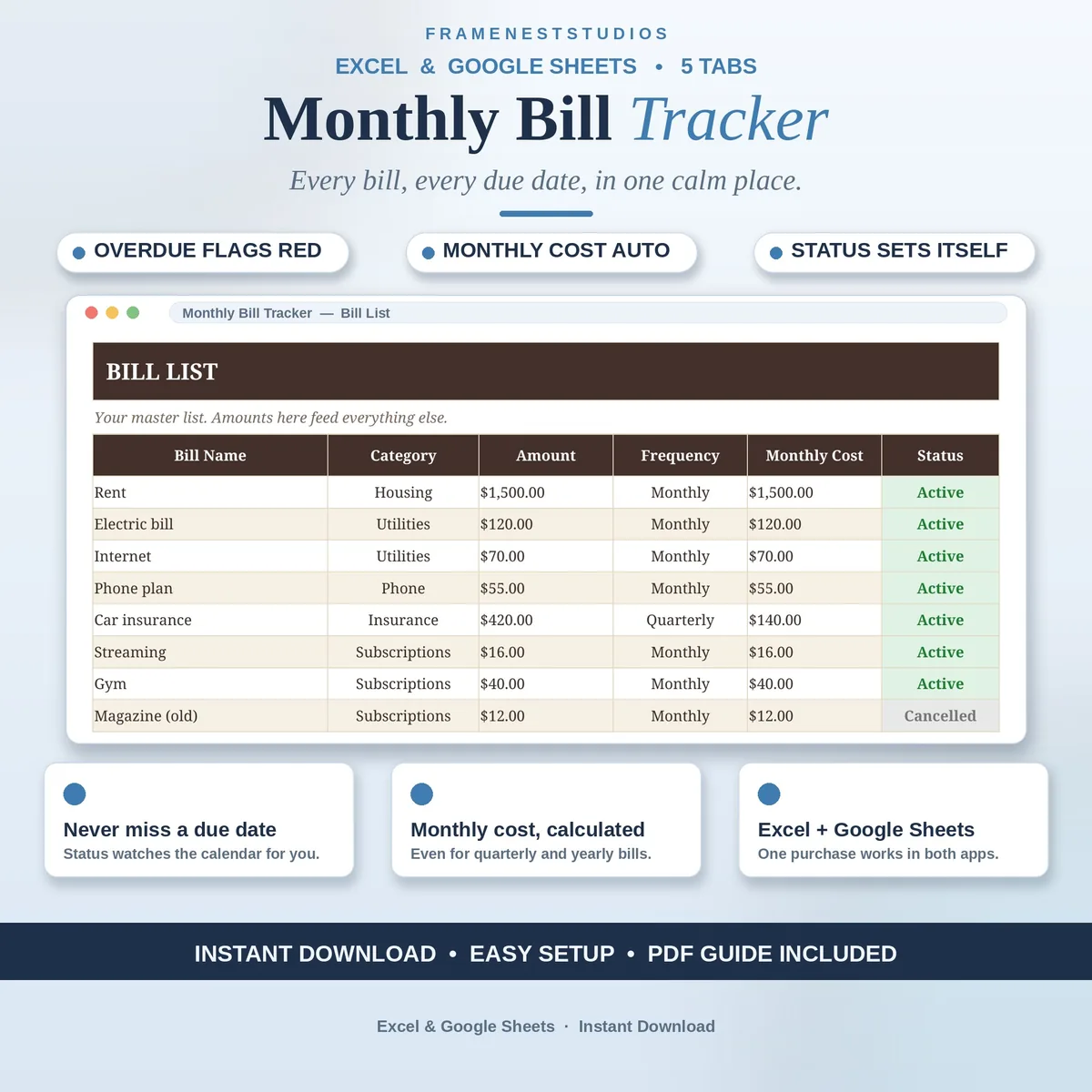
A late fee is money gone for absolutely nothing, and it usually happens because a due date slipped past in a busy week. This bill tracker spreadsheet keeps every household bill, due date and payment in one calm place, and flags anything overdue in red before it costs you.
Sale price in our Etsy shop right now. Checkout, payment and instant delivery are handled by Etsy.
Household bills rarely arrive on a kind schedule. Rent lands on one date, utilities on another, subscriptions whenever they like, and one missed due date quietly turns into a late fee. This tracker gathers the whole lot into a single list you can trust. You will always know what is due this week, what has already been paid, and what needs your attention today.
The Bill List is your master record: each bill's name, category, amount and how often it bills, with the monthly cost calculated for you even when a bill is quarterly. On the Due Dates tab you pick the bill from a dropdown and add the date; the amount fills itself in and the status watches the calendar, showing Paid, Pending or Overdue without you checking.
Every payment you make goes on the Payment Log with its date, amount and method, which is handy at tax time too. The Overview tab then sums it all up: your monthly bill total, how much is paid, how much is still pending, how many bills are overdue, and a chart of monthly cost by bill. It all updates on its own.
The things buyers ask us most.
About five minutes. The Start Here tab walks you through it step by step, and the Quick Start Guide PDF puts the same five steps on one page. You list your bills once on the Bill List, add their due dates, and the tracker takes over the watching from there.
Yes. Each bill on the Bill List has its own billing frequency, and the tracker works out the monthly cost for you, even for quarterly bills. That means your Overview always shows a fair monthly picture, instead of a nasty surprise in the months when the big bills land together.
The Due Dates tab watches the calendar for you. Each bill shows a status of Paid, Pending or Overdue, and overdue bills flag themselves red so they stand out the moment you open the file. A quick glance tells you what needs your attention today, with nothing to check by hand.
Yes. The tracker works in the Google Sheets app and in Excel on your phone or tablet, as well as on a computer. Many people keep it on the phone for the Payment Log, adding each payment in a few seconds right after they make it.
Three more workbooks from the same shelf.
Hold your whole financial year in one sheet, with yearly targets and automatic monthly updates.
View on EtsySplit bills and spending by paycheck, so every payday has a plan and a leftover.
View on EtsyHousehold income, shared bills and savings goals, planned together in one place.
View on Etsy