
Inventory Tracker
Stock levels, reorder alerts and profit per item, kept up to date as you log.
View on Etsy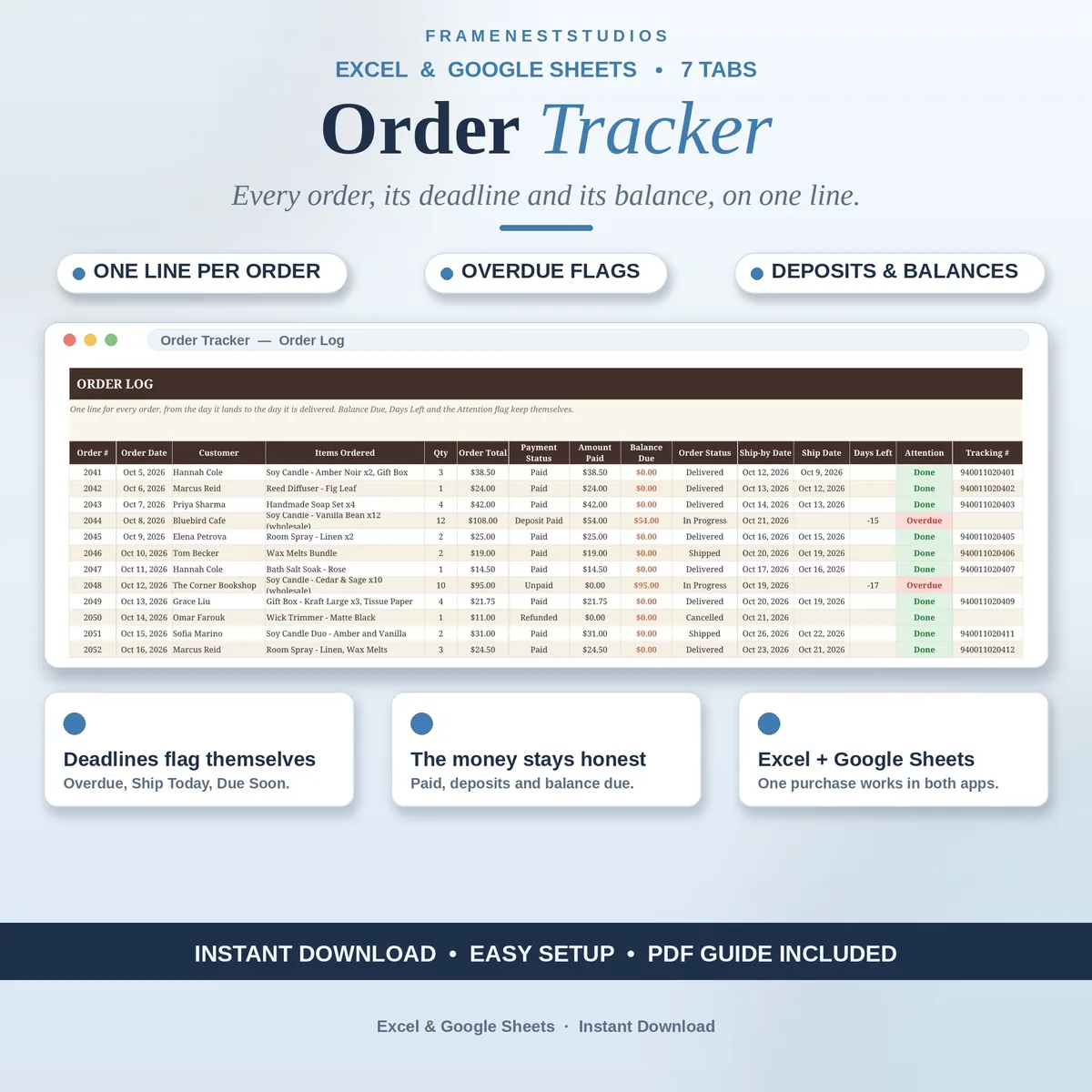
A customer asks where their order is, and the answer is scattered across inboxes and a notebook. This order tracker spreadsheet gives every order one line and one home, with its status, promised ship date and balance due always in front of you.
Sale price in our Etsy shop right now. Checkout, payment and instant delivery are handled by Etsy.
Every small shop knows the moment a customer messages to ask about an order, and the answer turns out to live in three inboxes, a notebook and somebody's memory, none of them agreeing. This tracker ends that scramble by giving every order one line and one home: what was ordered, what it came to, what has been paid, where it has got to, and the date you promised it would ship.
The Order Log carries the working detail, including payment status, amount paid, balance due and the tracking number once it exists. Beside it, the Order Pipeline mirrors the whole board by stage, so you can see what needs making, packing or posting today without reading every line. The Payment Status tab keeps the money honest on its own page: totals per order, what actually landed, what is still owed and the running total left to chase.
Two quiet features do the heavy lifting. The days-left countdown runs from the ship-by date you promised, and the attention flag calls out orders that are overdue, shipping today or due soon, before a customer has to ask. Then the Customer List counts orders, total spend and last order date per buyer, and the Monthly Summary closes the month with orders placed, gross sales, collected, outstanding and average order value.
The things buyers ask us most.
An invoice tracker follows the bill. This tracker follows the order itself: what was ordered, whether it is being made, packed, shipped or delivered, and whether it has been paid for. Most shops run both side by side, one for the paperwork of the sale and one for the work of fulfilling it, and the two are built to sit comfortably together.
You type the ship-by date you promised on each order line. The Days Left column counts down on its own as that date approaches, and the Attention column flags the orders that need you: Overdue, Ship Today or Due Soon. A quick look at the log or pipeline each morning shows exactly which orders cannot wait another day.
Yes. Set the payment status on the order to Deposit Paid and type the amount that landed under Amount Paid. The balance due works itself out from the order total, and the Payment Status tab keeps every part-paid order and the overall total still owed in front of you, so deposits never turn into forgotten final balances.
Either one. The Access PDF gives you a Google Sheets copy in one click, needing only a free Google account, and the BLANK workbook opens in Excel 2021 or Microsoft 365. Both versions have the same seven tabs and the same working formulas, and the Excel files can also be imported into Google Sheets in a few clicks if you change your mind.
Three more workbooks from the same shelf.
Stock levels, reorder alerts and profit per item, kept up to date as you log.
View on EtsyLog each sale once and see revenue after fees, top products and your best channels clearly.
View on EtsyLog petty cash in and out, record top-ups, and check counted cash against the expected balance.
View on Etsy