
Employee Attendance Tracker Spreadsheet
Mark one code per person per day and get monthly totals, alerts and report cards free.
View on Etsy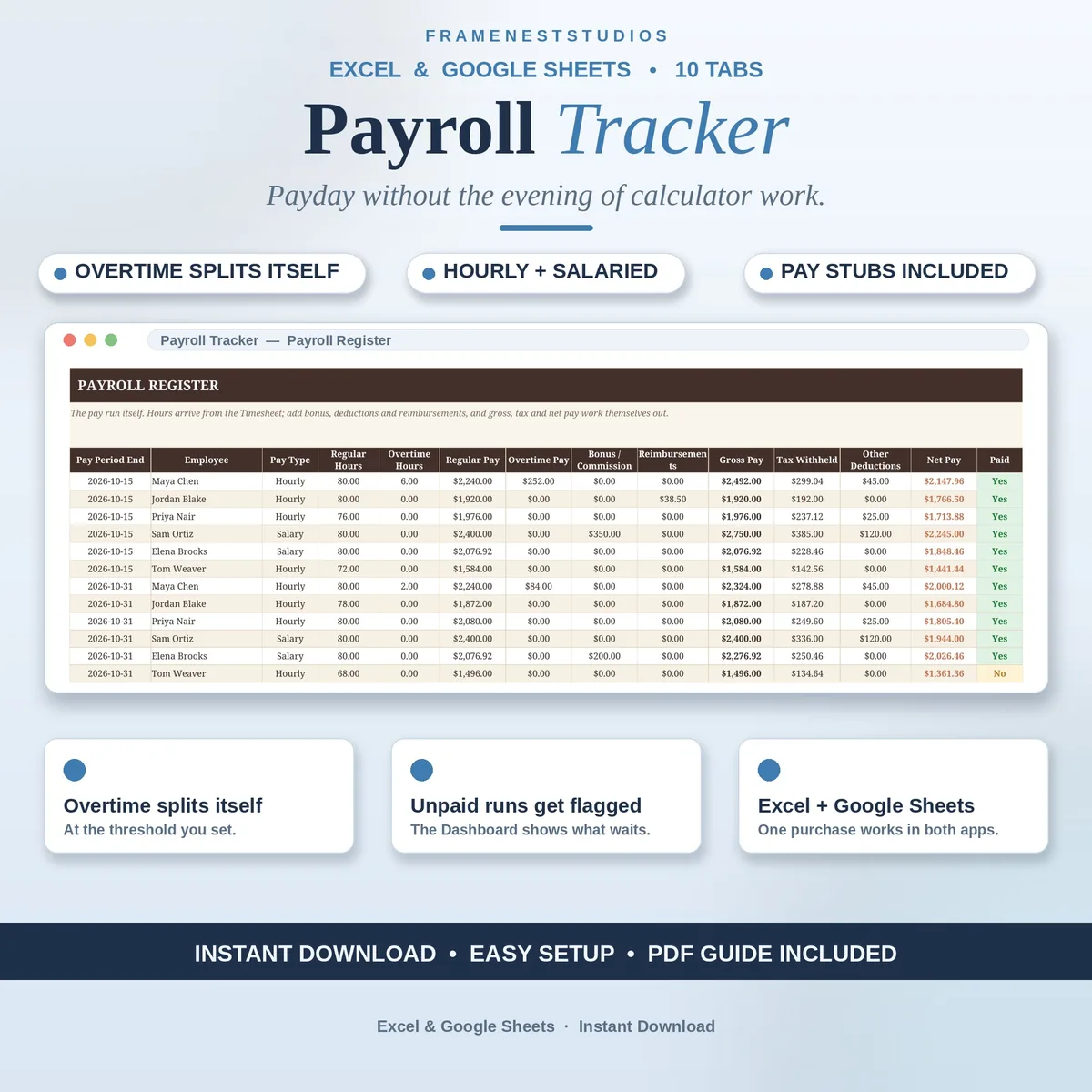
Payday should not mean an evening with a calculator and a quiet worry that someone got the wrong amount. This payroll tracker spreadsheet shrinks the whole pay run to a few calm minutes: your team goes in once, the hours go in each period, and every figure works itself out.
Sale price in our Etsy shop right now. Checkout, payment and instant delivery are handled by Etsy.
Anyone running a small team knows the routine: hours on scraps of paper or buried in chat threads, overtime figured out on your fingers, tax more or less guessed. This tracker replaces all of that. Pay frequency, overtime rules and rates are set a single time, your team is added once with hourly rates or annual salaries, and each pay run then builds itself from the hours you log.
Enter someone's total hours and the sheet splits them into regular and overtime at the threshold you set, applying your multiplier automatically. Bonuses and commission are added per person, tax withheld follows either a rate set for that individual or one default rate applied across the whole team, and reimbursements like mileage are paid back on top, after tax, so they are never treated as pay.
Choose any employee and pay period and a tidy pay stub populates itself, year to date figures included, ready to print. Leave requests, approvals and paid time off balances live in the same file, and the year to date and tax summary tab keeps quarterly totals ready for tax time. The dashboard keeps flagging a pay run as unpaid, amount included, until you mark it settled.
The things buyers ask us most.
Not long, roughly five minutes for the settings and your staff list, and the Quick Start Guide takes you through it one tab at a time. You set your pay frequency, overtime threshold and multiplier once, add each person with their rate or salary, and from then on a pay run is mostly just logging hours.
No, and it does not pretend to. The tracker calculates pay using the tax and deduction rates you give it, so confirm the right rates with your accountant first and enter them once. It does give you per-person year to date figures and quarterly totals gathered on a single tab, which makes tax time far easier to prepare.
Yes, because rates and salaries all sit on the Employees tab. A pay rise means changing a single box there. The same goes for a personal tax rate. Your settings for overtime threshold and multiplier can also be adjusted on the Settings tab whenever your policy changes, and new pay runs follow the updated figures.
That is fine. Enter the pay runs you have from the point you start, and the year to date figures build from whatever you enter. Many small businesses begin mid-year when their old system stops coping. Your monthly summary, pay stubs and dashboard all work from whatever history you have entered so far.
Three more workbooks from the same shelf.
Mark one code per person per day and get monthly totals, alerts and report cards free.
View on EtsyRoles, candidates, interview scorecards and offers in one tracker, with stalled flags built in.
View on EtsyLog shifts once and get weekly rotas, double booking flags, coverage checks and labor costs.
View on Etsy