
Profit and Loss Tracker
Turn income and expense logs into a clean profit and loss statement every month.
View on Etsy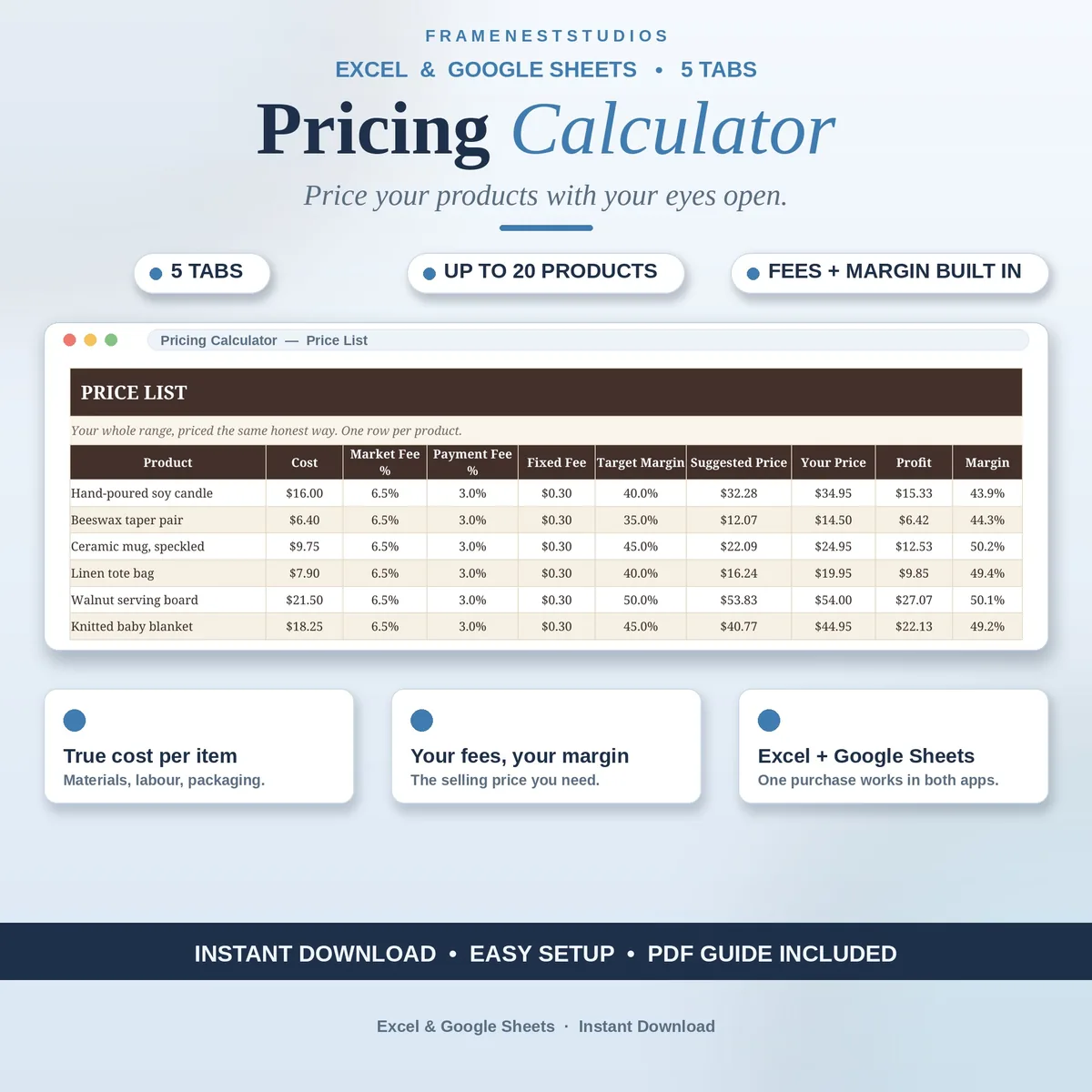
Pricing by feel is how lovely products quietly lose money on every sale. This pricing calculator spreadsheet lays out materials, your time, packaging and marketplace fees in one place, so the price you set actually pays you for the work you did.
Sale price in our Etsy shop right now. Checkout, payment and instant delivery are handled by Etsy.
It is easy to count the obvious costs and miss the quiet ones: a little material here, packaging there, half an hour of your time that never made it into the maths. If any of it is missing, it comes out of your pocket at the end of the sale. The cost calculator gathers materials, labour at your own hourly rate, packaging, postage supplies and the small extras into one honest cost per item, with a batch helper for per-item materials.
Fees are handled honestly too. Every marketplace charges differently and rates change, so the calculator never assumes them. You type in your own marketplace fee, payment fee and any fixed fee, set the margin you want, and the selling price you need appears with your profit per sale beside it. Prefer tidy, round prices? A separate tab lets you enter the price you fancy and see the real profit and margin instantly.
Once the maths works for one product, the price list lets you price up to 20 products the same way, each with a suggested price and room for your own final figure. The dashboard pulls your main product apart, costs, fees and profit side by side, with the price list at a glance. The example is built around a sample candle, so you can explore the whole flow before pricing anything of your own.
The things buyers ask us most.
No, deliberately not. Marketplaces charge different fees and those fees change over time, so any built-in assumption would quietly make your numbers wrong. Instead you type in the marketplace fee, payment fee and fixed fee that apply to you, and the calculator works from those. Update them whenever your marketplace changes its rates and your suggested prices stay honest.
Your labour is a real cost in the Cost Calculator tab. You add the time an item takes and your own hourly rate, alongside materials, packaging, postage supplies and smaller costs. A batch helper also works out materials per item when you make several at once. The result is one true cost per item, rather than a price that only covers what you bought.
Yes. After you have worked through your main product, the Price List tab holds up to 20 products priced with the same approach. Each line shows a suggested price based on its costs, fees and margin, with space for the final price you choose yourself. The dashboard also shows that list at a glance next to the detailed breakdown of your main product.
Use the Test Your Price tab. Enter the tidy price you would like to charge and it shows you the real profit and the real margin for that figure straight away. That way a round price becomes a deliberate choice instead of a guess, and you can nudge it up or down before the product ever goes on sale.
Three more workbooks from the same shelf.
Turn income and expense logs into a clean profit and loss statement every month.
View on EtsyEvery order on one line: status, ship-by date, amount paid and balance due, all kept current.
View on EtsyStock levels, reorder alerts and profit per item, kept up to date as you log.
View on Etsy