
Order Tracker
Every order on one line: status, ship-by date, amount paid and balance due, all kept current.
View on Etsy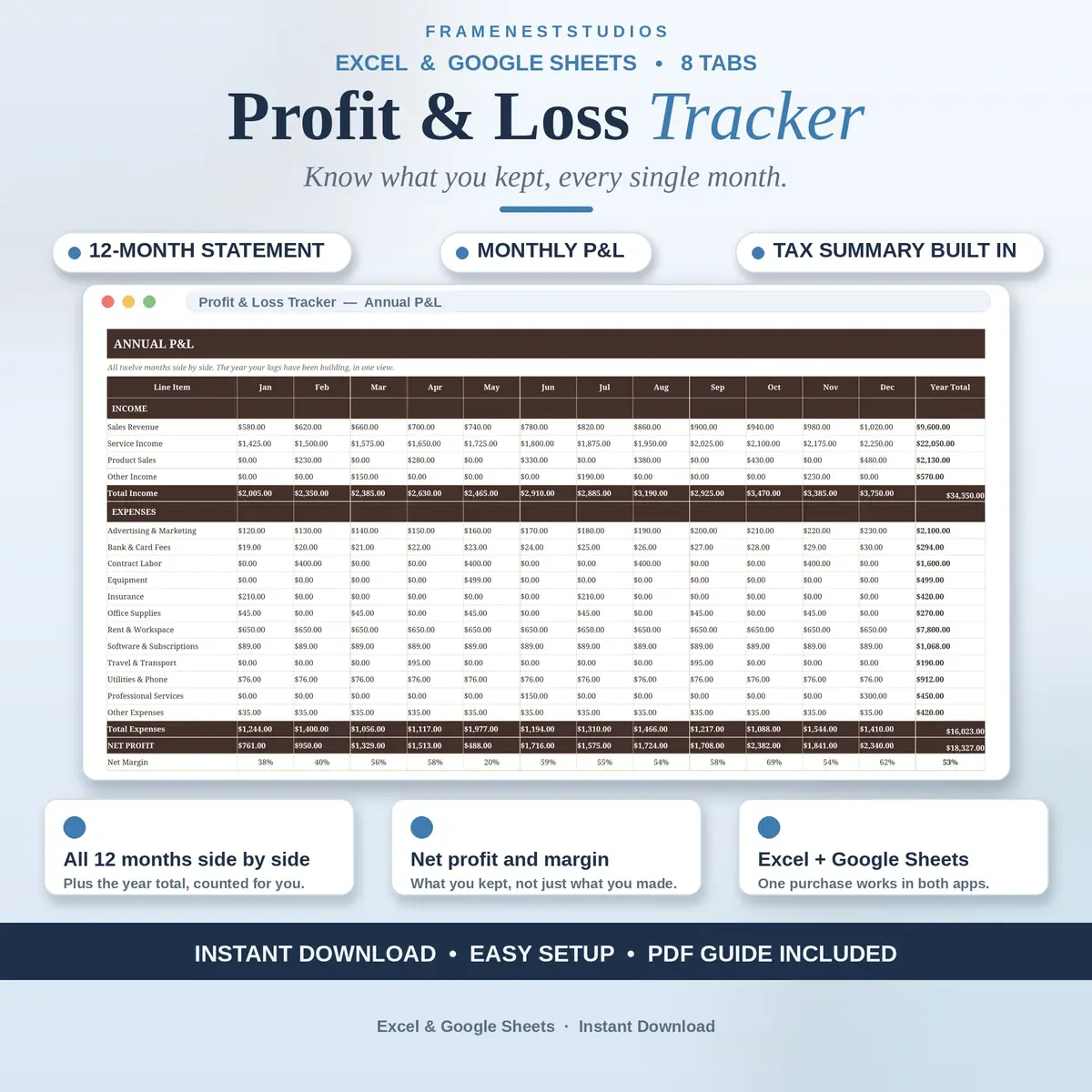
Ask most small business owners what they earned last month and you will get an answer. Ask what they kept and the room goes quiet. This profit and loss tracker pulls your income and expenses into one file and turns them into a clean monthly statement, so the kept number is never a guess again.
Sale price in our Etsy shop right now. Checkout, payment and instant delivery are handled by Etsy.
It starts with two simple logs. The Income Log records every payment that lands, with who paid you, which account it belongs to and the date. The Expense Log does the same for every cost the business pays, sorted into its account as you type. The Chart of Accounts tab explains the income and expense accounts up front, so your entries land in the right places from the very first week.
Pick any month on the Monthly P&L tab and you get a finished statement: every line in place, each one also shown as a share of that month's income, which makes heavy costs easy to spot. The Annual P&L then lines all twelve months up side by side, so your strongest months and your slow, steady leaks sit in the same view. The Dashboard keeps the year headline on one screen.
The Tax Summary turns the same numbers toward the end of the year, with a quarterly estimate based on the tax rate you set yourself, so setting money aside becomes routine instead of a scramble. Nothing connects to your bank: you log entries yourself in about ten seconds each, which keeps the figures private and entirely yours. Setup takes about five minutes, and the EXAMPLE file shows a full set of books first.
The things buyers ask us most.
No, deliberately so. Every payment and cost is logged by you, about ten seconds an entry, so your numbers stay completely private and never depend on a bank feed working. Nothing about your business leaves your own files, and the tracker keeps working even if you change banks or accounts along the way.
Not at all. It was built with freelancers, sole traders and small teams in mind, people who do their own books and want a proper statement without accounting software or a monthly subscription. If you can type a date and an amount, you can run it: the logs take your entries and the statements build themselves at the end of the month.
Yes. The Chart of Accounts tab holds the full list of income and expense accounts, and you can rename entries or add new ones to match your business. Just use the same spelling in the Income Log, the Expense Log and the statements, and everything keeps flowing to the right lines on your monthly and annual P&L.
It gets your numbers ready and estimates a sensible amount to set aside, quarter by quarter on the Tax Summary tab, using the tax rate you enter. It does not file anything for you and it is not a substitute for a tax professional. Think of it as arriving at your accountant's office already organised, figures in hand.
Three more workbooks from the same shelf.
Every order on one line: status, ship-by date, amount paid and balance due, all kept current.
View on EtsyStock levels, reorder alerts and profit per item, kept up to date as you log.
View on EtsyLog each sale once and see revenue after fees, top products and your best channels clearly.
View on Etsy