
Project Budget Tracker Spreadsheet
Plan project budgets, log real costs, and see profit, margin and true hourly rate per project.
View on Etsy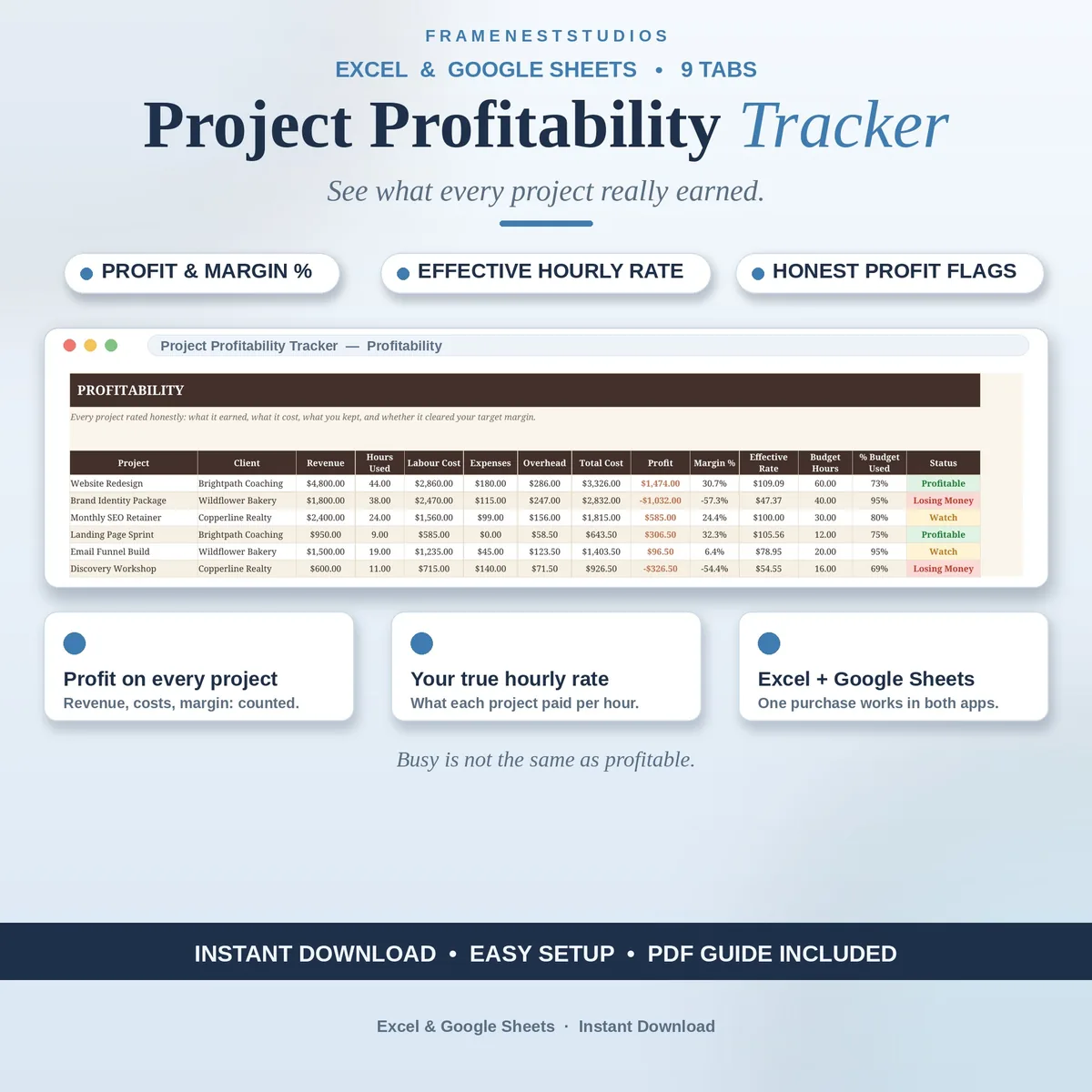
A full calendar feels like success, right up until the end of the month when the money says otherwise. This project profitability tracker shows what each project truly earned after your hours, costs and overhead are counted, including the hourly rate it really paid you, so busy and profitable stop getting confused.
Sale price in our Etsy shop right now. Checkout, payment and instant delivery are handled by Etsy.
Setup happens once, on the Settings tab: your labour rate, the margin you are aiming for, and your overhead figures. From there you register your clients and projects, then log hours and costs in the single Time and Costs log as the work happens. Mark a cost as reimbursable when the client pays it back, and it stops quietly eating into the margin of the project it belongs to.
The Profitability tab does the maths nobody has time for mid project: for every project it lines up revenue against labour cost, expenses and total cost once an overhead share is added, then profit, margin percentage and the hourly rate the work truly paid. Each one is flagged against your own target margin as Profitable, Watch or Losing Money, and projects that run over their budgeted hours turn red, so the work that needs a conversation cannot hide.
Rankings sort your top 5 and bottom 5 projects twice over, by effective hourly rate and by margin, and the Clients view rolls everything up per client, highlighting your best one. The Invoices tab keeps amounts, statuses and due dates in view, with totals for what is outstanding and overdue updating on their own, while the Dashboard shows portfolio revenue, cost, profit and average margin, with charts for margin by project and revenue against profit.
The things buyers ask us most.
No. Filling in your Settings, adding your clients and registering your projects takes about five minutes in total, and the Quick Start Guide takes you through it one tab at a time. The EXAMPLE workbook is filled in with sample projects, so open that first and click around: once you have seen a finished board, your own setup feels obvious.
No. Log your working sessions and the costs that genuinely belong to a project, and the board stays honest with just that. A coffee you would have bought anyway is not a project cost. Software, subcontractors, materials and travel for the work are, and those are the numbers that quietly decide whether a project actually paid.
Yes. The amounts are plain numbers with a money format, so the tracker works in dollars, pounds, euros or any other currency without anything breaking. Your business details, labour rate and targets all live together on the Settings tab, so one visit there sets the whole workbook to the way your business actually runs.
It still appears on the board with its revenue and costs in place, so nothing goes missing from the picture. The rate based figures, like effective hourly rate, simply wait until hours exist before they join in. Once you log time against the project, its rate, margin and ranking all update from the same entries automatically.
Three more workbooks from the same shelf.
Plan project budgets, log real costs, and see profit, margin and true hourly rate per project.
View on EtsyTrack freelance income by client and month, with paid, pending, overdue and tax set aside.
View on EtsyLog business expenses in seconds and watch spending sort itself by category and month.
View on Etsy