
Small Business Bookkeeping Spreadsheet
Log income and expenses in minutes and see your real net profit on one clear dashboard.
View on Etsy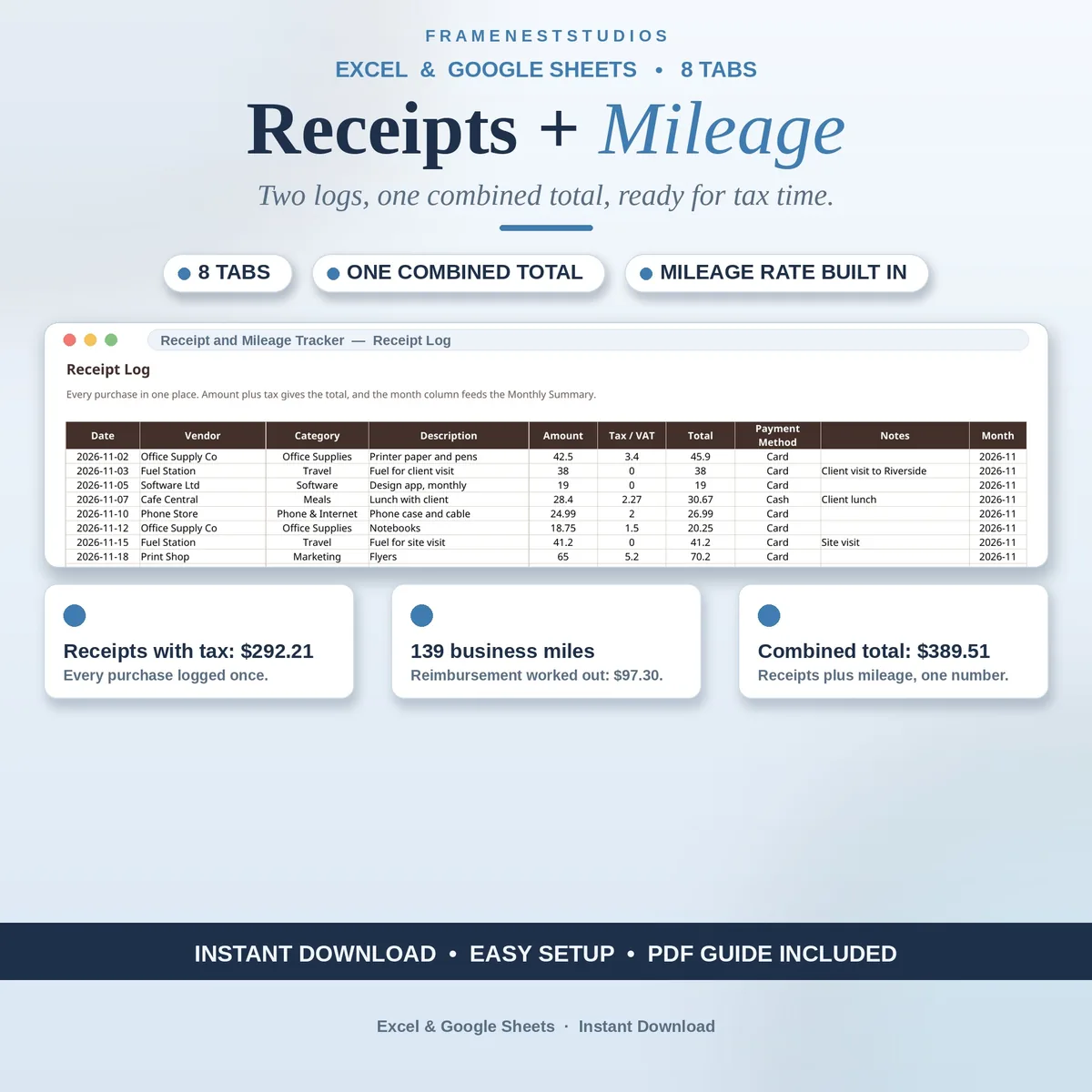
Receipts live in one folder and trip notes in another, so the two halves of your business expenses never meet. This receipt and mileage expense tracker keeps purchases and drives in a single workbook, so one combined total finally answers what you spent and what you drove.
Sale price in our Etsy shop right now. Checkout, payment and instant delivery are handled by Etsy.
Most business expenses come in two flavours that rarely meet: the things you buy and the miles you drive. Receipts end up in one folder, trip notes in a notebook, and at tax time somebody has to merge two half-records into one honest total. This workbook was built for the two jobs together. Purchases live on the Receipt Log, trips live on the Mileage Log, and every summary in the file reads from both.
The daily entries stay simple. A receipt is logged with vendor, category, amount and tax, and its total works itself out. A trip is logged with where you went, the miles and the purpose, and its reimbursement works itself out as miles times the rate on your Settings tab, so one rate change updates every trip at once. The Vehicle Log records starting and current mileage per vehicle, keeping your driven miles provable rather than estimated.
The Combined Expense Summary is the page the whole workbook points at: total receipts with tax, total business miles, total mileage reimbursement and the combined figure, with receipt totals by category and their share of the whole. Tax Categories adds a plain note on how each kind of cost is commonly treated, and the Monthly Summary breaks receipts and mileage down month by month with a combined total and trip count, ready to review, bill or hand over.
The things buyers ask us most.
It is one workbook with one combined total. Receipts and mileage each live on their own log, because the entries are different, but the combined summary, the tax categories page and the monthly view all read from both logs at once. You never have to merge two files or add two totals together yourself at the end of the month or the year.
As miles times your rate. The rate lives on the Settings and Lists tab, and every trip on the Mileage Log uses it, so if your rate changes, you change it in one place and every trip's reimbursement updates without any retyping. Each trip also records its purpose and vehicle, which keeps the log useful when someone asks what a drive was for.
Yes. This workbook organises your records: what you bought, where, the category, the tax and the total. The paper or photo receipt is still the proof behind the line, so keep those as well, especially for anything you plan to claim. The tracker's job is to make sure that when you reach for a receipt, you know its amount, date and category already.
Yes. Use the 1-click copy link in the Google Sheets Access PDF to make your own copy and work there, or open the Excel files directly in Microsoft Excel. The BLANK workbook is your clean start, and the EXAMPLE workbook is filled with demo data so you can watch receipt totals, mileage reimbursement and monthly totals working before you log anything real.
Three more workbooks from the same shelf.
Log income and expenses in minutes and see your real net profit on one clear dashboard.
View on EtsyEvery recurring cost, renewal date and annual total in one simple tracker.
View on EtsySet an annual revenue goal, plan each month, and see achieved and remaining all year.
View on Etsy