
Freelancer Client Invoice Tracker
Clients, invoices and follow-ups in one sheet, with overdue payments flagged for you.
View on Etsy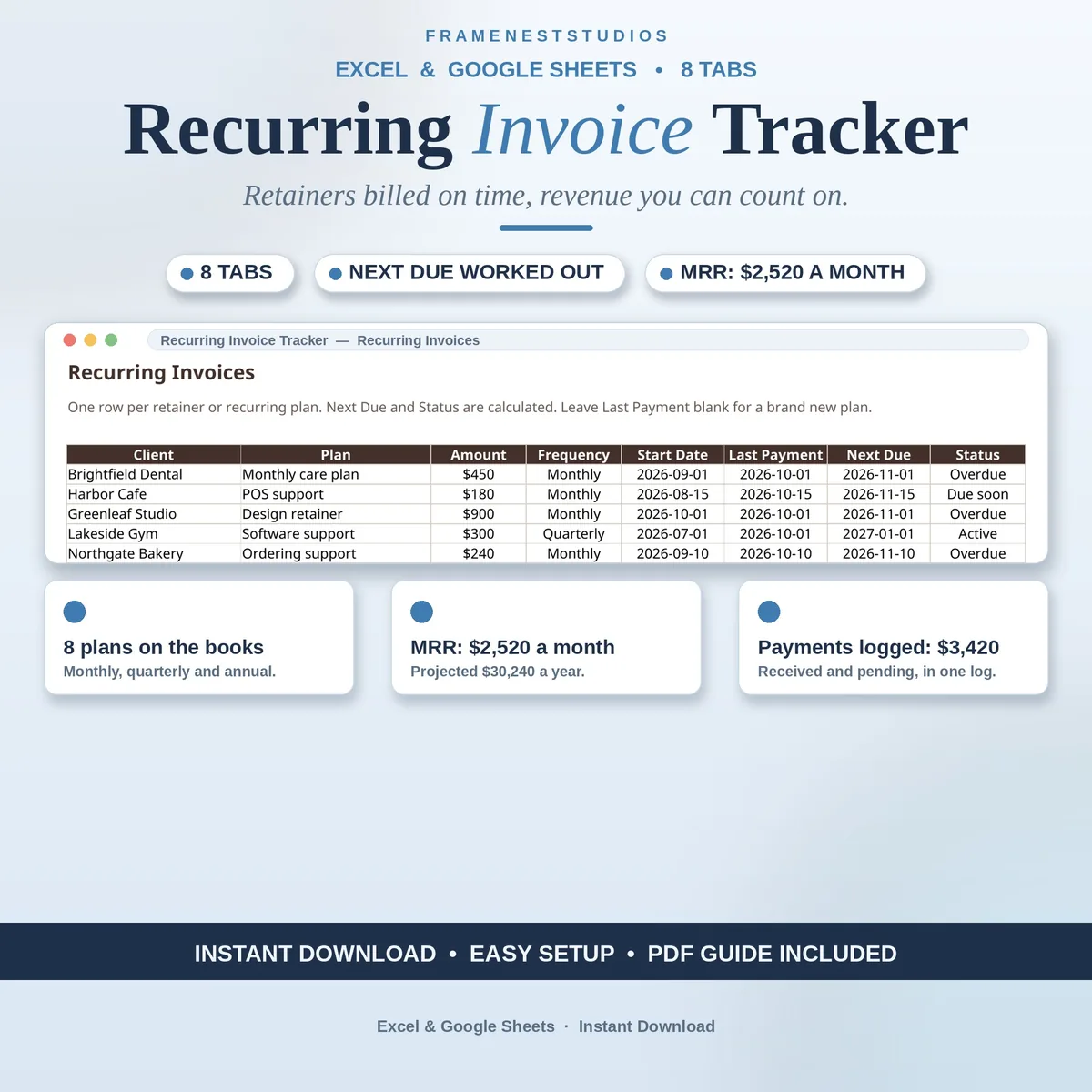
Retainer income is the steadiest money a freelancer can earn, and the easiest to let slip. This recurring invoice tracker keeps every plan visible: set each one up once, and due dates, overdue flags and your monthly recurring revenue all look after themselves.
Sale price in our Etsy shop right now. Checkout, payment and instant delivery are handled by Etsy.
Repeat billing fails in a boring way: a renewal slips by, a payment date shifts, a quarterly plan drifts past its due date, and the gap only shows up weeks later when the money has not arrived. This tracker exists to make that impossible. Each plan gets set up a single time: client, amount, how often it bills and when it started, and the tracker keeps watch over every due date from then on.
The next due date is always calculated, never typed. Monthly plans step forward a month from the last payment, quarterly plans three months, annual plans twelve, and a brand new plan counts from its start date. Log a payment when it arrives and push the last payment date forward; the next due date follows automatically, with overdue and due-soon plans flagged clearly.
The Overdue and Reminders tab is the one to read before you chase anyone: it shows how many days late each plan is and suggests what to send. Meanwhile the Monthly Recurring Revenue tab turns all your plans into one steady monthly figure, counting quarterly plans as a third and annual plans as a twelfth, and the Annual Summary sets payments received against that figure month by month.
The things buyers ask us most.
You never type it yourself. Monthly plans add one month from the last payment, quarterly plans add three and annual plans add twelve. For a brand new plan with no payment yet, the date is worked out from the start date. Log a payment, update the last payment date, and the next due date moves forward on its own.
Overdue means the next due date has already passed. Due soon means that date falls inside the coming week. The Overdue and Reminders tab gathers both groups in one place, shows the days overdue for each, and gives you a plain reminder instruction so chasing never feels improvised.
Monthly plans count in full. Quarterly plans contribute a third of their amount each month, and annual plans a twelfth, so every plan is converted to the same monthly footing. The total is the steady monthly income your active plans represent, and the Annual Summary compares it with payments actually received.
No. This workbook is a tracker, not a billing service. It remembers every plan, works out due dates, flags what is late and totals your recurring revenue, but the invoices themselves still go out through whatever you already use to bill clients. Use the two side by side and nothing slips between them.
Three more workbooks from the same shelf.
Clients, invoices and follow-ups in one sheet, with overdue payments flagged for you.
View on EtsyLog installment plans and payments, and always know what is collected, outstanding and overdue.
View on EtsyEvery lead, stage and follow-up in one place, with pipeline value and win rate automatic.
View on Etsy