
Receipt and Mileage Expense Tracker Excel Spreadsheet
Receipts and business mileage in one workbook, with one combined total for tax time.
View on Etsy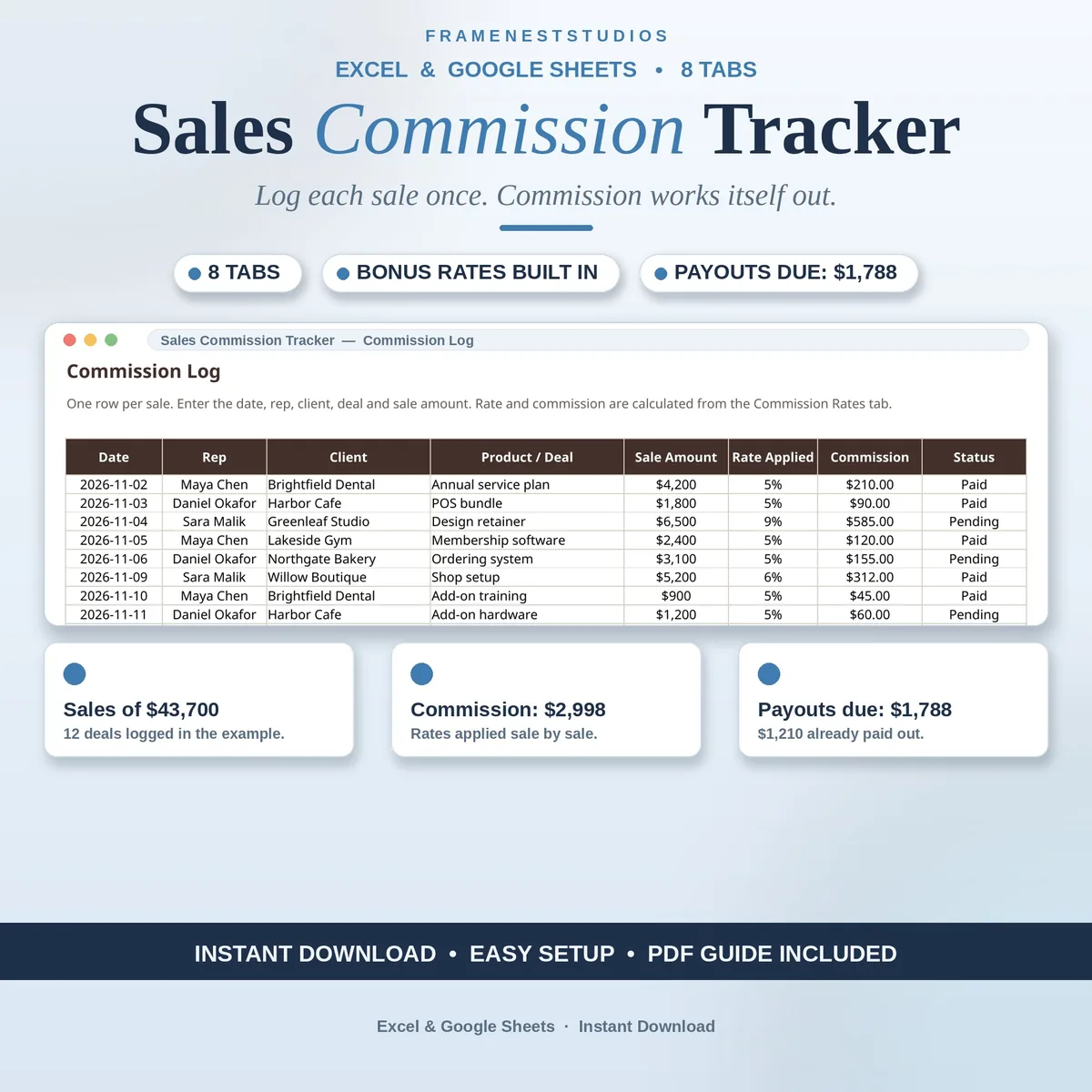
Working out commission by hand at month end always ends the same way: a rep questions a figure, a sale goes missing, and an evening disappears into old messages. This sales commission tracker spreadsheet settles it in advance, by logging each sale once and letting the sheet do every calculation from there.
Sale price in our Etsy shop right now. Checkout, payment and instant delivery are handled by Etsy.
Commission disputes rarely start with bad intent. They start with a number worked out by hand, weeks after the sale, from notes nobody kept properly. This tracker removes the guesswork. You log each sale once with its date, rep, client, deal and amount, and the tracker finds that rep's rate, works out the commission, and keeps every total current from that moment on.
Rates live on their own tab: each rep's base rate, bonus threshold and bonus rate, with the rule stated plainly that a sale at or above the threshold earns the bonus rate on the whole sale. The Rep Dashboard shows every rep at a glance, with deals, total sales, total commission, average sale and each rep's share of sales. The Monthly Summary compares months straight from the log, with no separate report to build.
When payday comes, the Payout Schedule shows what each rep has earned, what you have already paid and what is still due, and its status flips to Paid in full when nothing is left. Sales Goals tracks a monthly goal per rep with actual sales, the percentage reached and the amount left. Change a rate later and every commission in the log updates to match, with no past sales to edit one by one.
The things buyers ask us most.
The whole sale. If a rep's bonus threshold is $5,000 and a sale comes in at $5,600, the bonus rate is used for the full $5,600, not just the part above the threshold. That rule is written on the Commission Rates tab, so every rep can see exactly how their pay is worked out.
Every commission in the log updates to match the new rate automatically. You do not need to edit past sales one by one or rebuild the totals. The Rep Dashboard, Payout Schedule and Monthly Summary all read from the same log, so the whole workbook agrees with itself after the change.
Both. The dashboard, payout and goal tabs each carry a row per rep, so one rep is simple and a growing team still fits. The Quick Start Guide explains how to add a rep by copying a row and changing the name, and the Settings tab holds your team list.
Change its status on the Commission Log, or remove the row altogether. Either way, the rep totals, the amount still due on the Payout Schedule and the Monthly Summary update with it, so nobody gets paid commission on money the business did not keep. No other tabs need touching.
Three more workbooks from the same shelf.
Receipts and business mileage in one workbook, with one combined total for tax time.
View on EtsyLog income and expenses in minutes and see your real net profit on one clear dashboard.
View on EtsyEvery recurring cost, renewal date and annual total in one simple tracker.
View on Etsy