
Freelancer Follow Up Tracker
Log every follow up, track deals by stage, and know who to contact today.
View on Etsy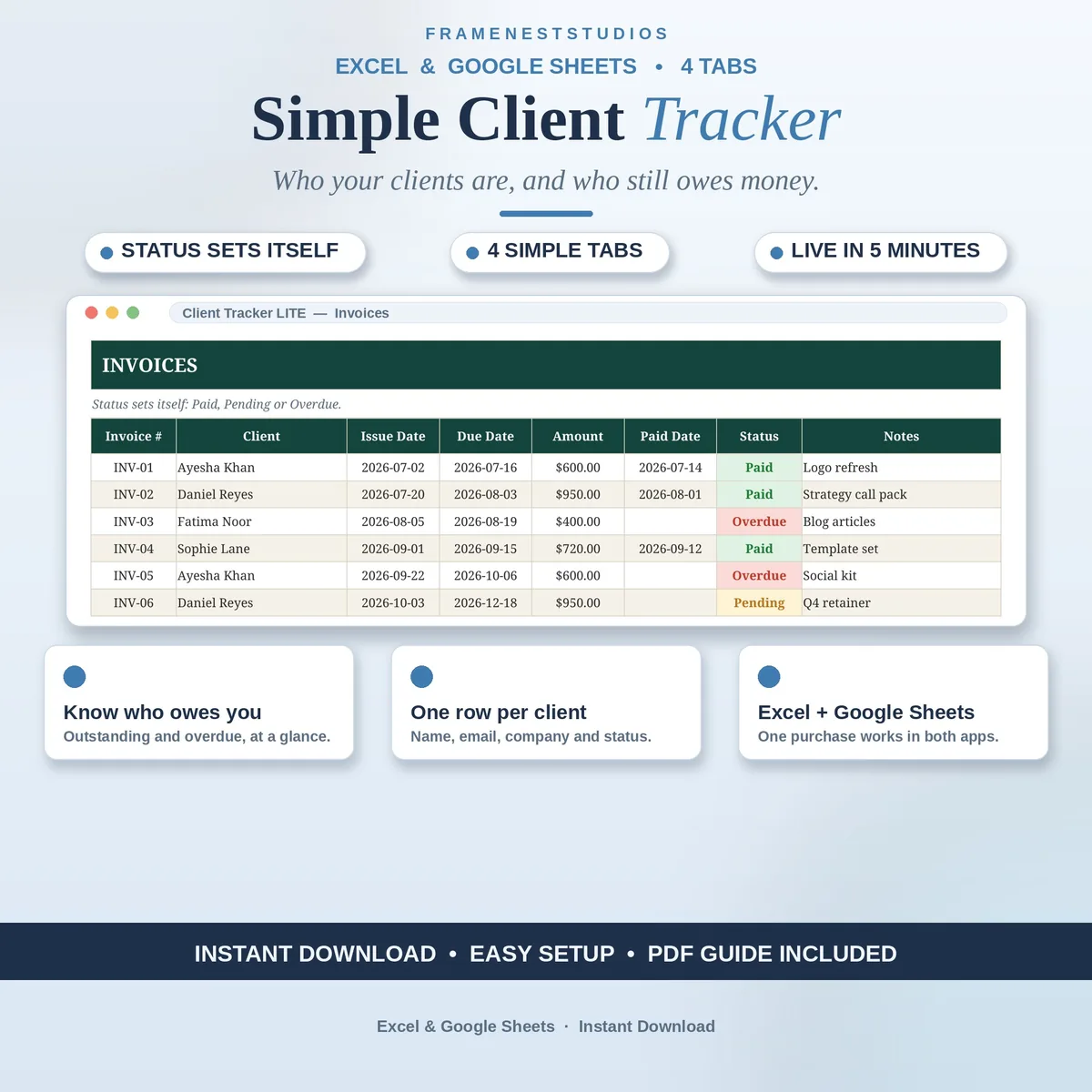
Not every freelancer needs a huge CRM with a hundred features they will never open. This simple client tracker keeps just your clients and your invoices in four tidy tabs, so a quick morning check tells you who you work for and who still owes you.
Sale price in our Etsy shop right now. Checkout, payment and instant delivery are handled by Etsy.
Starting out, most freelancers track clients in their inbox, their memory and a notebook that is never nearby. This tracker replaces that scatter with one calm list. Each client gets a single row with their details and a status chosen from a dropdown, so your whole client base stays readable at a glance and new names take seconds to add.
Invoices sit in their own tab, linked to the client you pick. You enter the dates and the amount, and the status looks after itself, which means overdue money stops hiding inside old email threads. Instead of rebuilding totals in your head before you chase a payment, you open one tab and the picture is already there, ready for a polite follow up.
The dashboard gathers it all each morning: how many clients you have, what is outstanding, what has slipped overdue and a monthly chart of activity. There are only four tabs in total, including the built in Start Here guide, so there is nothing to learn beyond typing your first client in. It is a good fit for new freelancers, side hustlers and solo founders.
The things buyers ask us most.
This LITE version keeps things deliberately small: four tabs covering your client list and your invoices, plus a dashboard and a start guide. The Bundle goes further and adds follow-ups, a pipeline and settings. If you are just starting out and want the essentials without clutter, this lighter version is the one built for you.
Yes. When you log an invoice you pick the client and enter the dates and amount, and the status is worked out from those details rather than typed in by hand. That means outstanding and overdue invoices show up correctly on the dashboard without you rechecking dates or redoing any sums each week.
You can. The access PDF contains a one-click link that copies the tracker into your own Google Sheets, where it works with a free Google account. If you prefer desktop Excel, the BLANK workbook is ready there too. Both versions carry the same tabs and formulas, so choose the one that suits your routine.
It was designed with you in mind. There are only four tabs, the Start Here guide walks you through setup in about 5 minutes, and the EXAMPLE file shows a filled tracker before you type anything. Add one client, log one invoice, and you already understand the whole system. It grows quietly alongside your client list.
Three more workbooks from the same shelf.
Log every follow up, track deals by stage, and know who to contact today.
View on EtsyEvery retainer's next due date calculated and overdue plans flagged.
View on EtsyClients, invoices and follow-ups in one sheet, with overdue payments flagged for you.
View on Etsy