
Zero Based Budget Planner
Give every dollar a job before the month starts, and watch the plan balance itself.
View on Etsy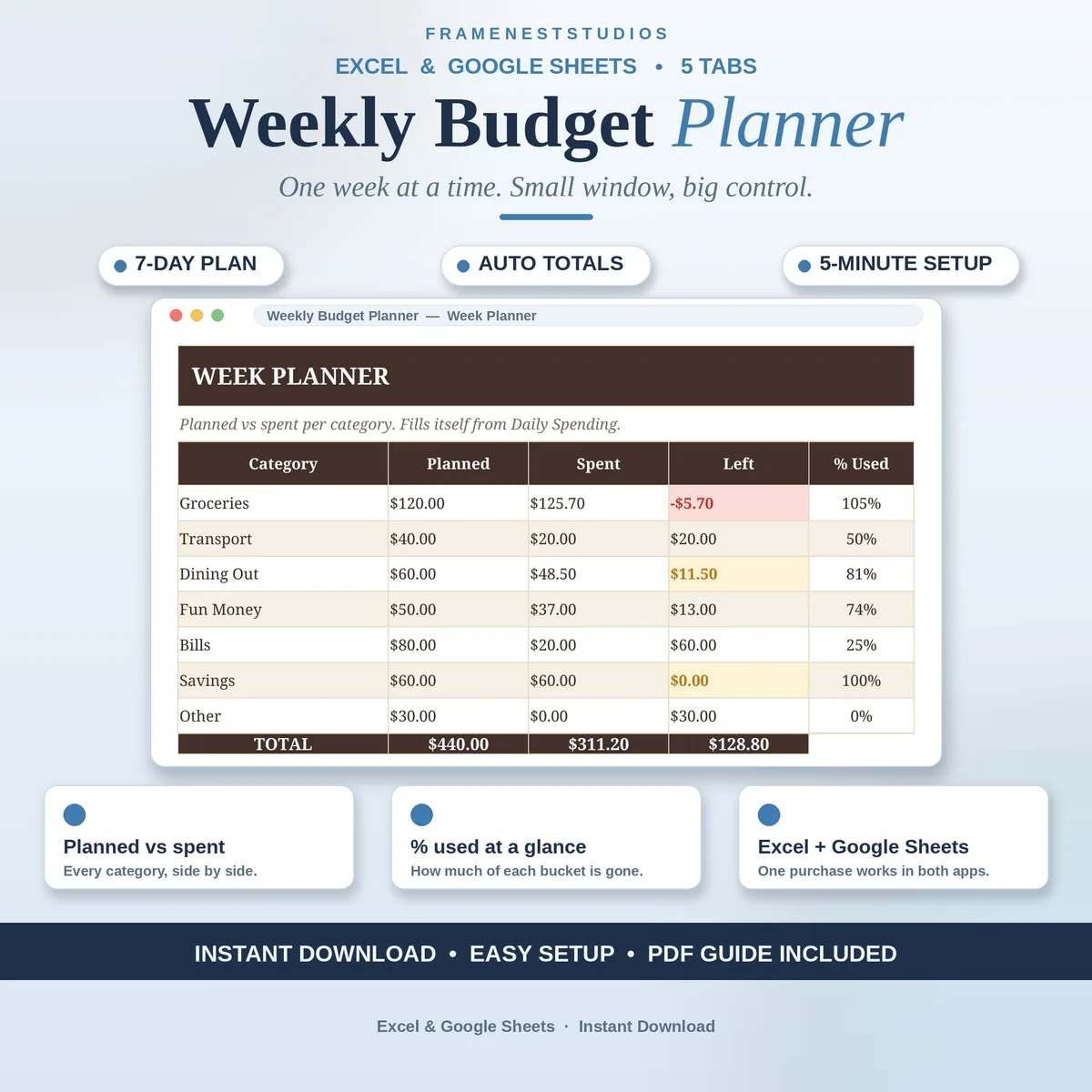
A month is a long time to stay focused, but a week is a promise you can actually keep. This weekly budget planner splits your money into seven-day chunks with a simple daily log, so you always know exactly where the week stands while there is still time to fix it.
Sale price in our Etsy shop right now. Checkout, payment and instant delivery are handled by Etsy.
Monthly budgets often fail quietly somewhere around the second week. This planner works on a shorter loop. You set weekly amounts for your spending categories, then note what you spend each day, and the planner keeps the running comparison for you. Seven days is short enough that a small overspend can still be corrected before it becomes a bad month.
The Daily Spending tab asks for just five things: the date, the day of the week, a category, a short note and the amount. It takes about thirty seconds a day. From those entries, the Week Planner fills in planned versus spent for every category by itself, so you never retype or total anything by hand.
At the end of the week, the Weekly Summary shows your week total, your daily average and a chart of spending by day, which makes patterns easy to spot, like weekends quietly costing double. Categories are yours to define on their own tab, and the Start Here walkthrough sets everything up in five steps and about five minutes.
The things buyers ask us most.
About thirty seconds. Each spend is one short row on the Daily Spending tab: date, day of the week, category, a quick note and the amount. The Week Planner and Weekly Summary do the adding up for you, so the small daily habit is the only effort the system asks for.
It shows your total spending for the week, your average spend per day, and a chart breaking spending down by day of the week. Together they answer the two questions that matter at week end: did the week stay inside the plan, and which days are quietly doing the damage.
Yes. Categories live on their own tab, where you name your weekly buckets and set a planned amount for each one. The Daily Spending entries and the Week Planner both read from that list, so renaming or adding a category flows through the whole workbook without breaking any of the totals.
Both are included. You get a BLANK and an EXAMPLE workbook for Microsoft Excel, plus an access PDF whose one-click link copies the planner into your Google Sheets using a free Google account. It works on phone, tablet and computer, so you can log spending wherever the day takes you.
Three more workbooks from the same shelf.
Give every dollar a job before the month starts, and watch the plan balance itself.
View on EtsyMonthly budgets for baby costs, a one-handed expense log, and a dashboard that ends the guessing.
View on EtsyPlan shared bills together, keep personal spending separate, and see it all on one dashboard.
View on Etsy