
Baby Budget Planner
Monthly budgets for baby costs, a one-handed expense log, and a dashboard that ends the guessing.
View on Etsy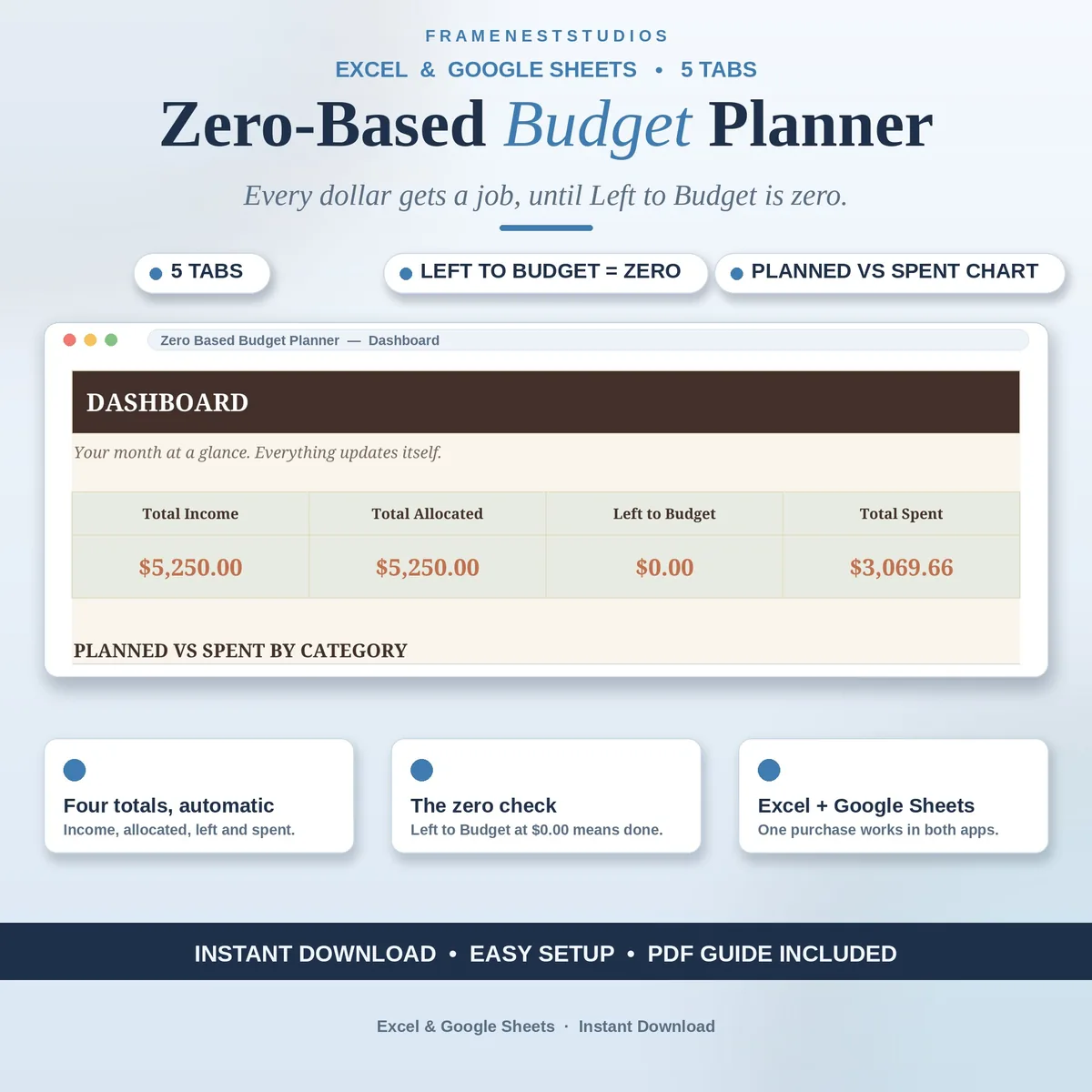
Vague budgets fail quietly, a little overspend here and a forgotten bill there, until the month ends and the money is simply gone. This zero based budget spreadsheet follows one strict rule: income minus planned equals zero, and it checks the maths for you as you plan.
Sale price in our Etsy shop right now. Checkout, payment and instant delivery are handled by Etsy.
Zero-based budgeting works because it removes the grey areas. Before the month begins, you assign every dollar of income to a category until nothing is left unplanned. There is no vague leftover money to leak away on small spends you never decided on. This planner enforces the rule gently but firmly: your Left to Budget figure stays red until the plan balances, and turns green at zero.
Start on the Income tab and list every paycheck and side dollar; the total adds itself up. Then open the Every Dollar Plan and spread that income across your categories. As you log real spending on the Transactions tab with a category dropdown, the Spent and Remaining figures fill in by themselves, so you can see at any point which categories are on track and which need a pause.
The Dashboard pulls the month together: total income, how much you have allocated, what is left to budget, and what you have actually spent, with a planned versus spent chart for the visual picture. Setup follows the five-minute walkthrough on the Start Here tab, and because the planner runs in both Excel and Google Sheets, your plan is there on your computer, tablet or phone.
The things buyers ask us most.
It means your income minus everything you plan to do with it comes to exactly zero. Every dollar is assigned to a category, a bill, savings or debt before the month starts. Zero does not mean spending it all; it means nothing is left unplanned, so no money quietly drifts away.
Watch the Left to Budget figure on the Every Dollar Plan tab. It stays red while some income still has no job, and turns green the moment it reaches zero. That colour change is your checklist: green means every dollar is assigned and the month is ready to begin.
For the plan to stay honest, yes, but it is quick. The Transactions tab takes a date, an amount and a category picked from a dropdown, and the Spent and Remaining figures for that category update by themselves. A few seconds per purchase keeps the Dashboard truthful all month.
No. This planner is a budgeting tool that organises your own income and spending and checks the arithmetic of your plan. It does not recommend what you should spend, save or pay off first. Those choices stay yours, and a qualified adviser can help with bigger financial decisions.
Three more workbooks from the same shelf.
Monthly budgets for baby costs, a one-handed expense log, and a dashboard that ends the guessing.
View on EtsyPlan shared bills together, keep personal spending separate, and see it all on one dashboard.
View on EtsyDigital cash envelopes: fund on payday, spend from the envelope, watch the rest.
View on Etsy